


Zoromatic Widgets

Zoromatic Widgets
The official app & game
Distributed by UptoPlay
SCREENSHOTS
DESCRIPTION
Play this online game named Zoromatic Widgets.
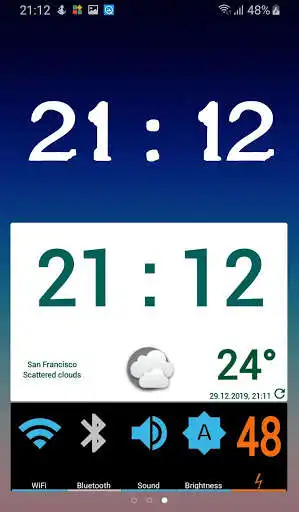
Main Features:1. Weather and Clock Widget with Forecast screen
2. Power Widget with Multiple Toggle Widgets (WiFi, Mobile Data, Ringer, GPS, Bluetooth, Airplane Mode, NFC, Sync, Brightness, Orientation, Flashlight, Battery)
3. Battery Notification
4. Single Battery Widget
5. Single Toggle Widgets
Zoromatic Widgets are set of multi-functional widgets for Android 2.2 and higher. To add any of available widgets to your home screen, long tap the screen, select Widgets from menu, and then select Zoromatic Widgets.
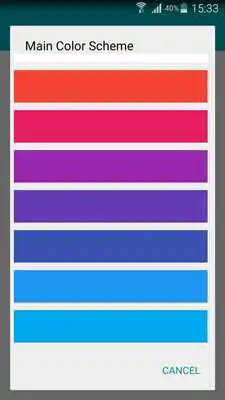
All activities have fully configurable theming applied.
Weather and Clock Widget is highly configurable, with separate settings for each widget. Some of available custom options are:
- Clock color
- Clock font
- Clock skin
- Background color and transparency
- Date format
- Weather settings
Weather settings include:
- Custom Weather icons
- Temperature scale (Celsius, Fahrenheit)
- Location settings (Current location - using GPS or network, or multiple Custom locations)
- Refresh interval (30 minutes to 6 hours)
- Use WiFi only for scheduled refresh
Tap on hour to open system clock and alarm application.
Tap on weather icon to open weather forecast, for multiple defined locations.
Tap anywhere else to open widget configuration screen.
Date and weather information can be hidden, so widget turns into Clock Widget only.
Power Widget is highly configurable, with options to set:
- Show or hide multiple toggle widgets
- Background color and transparency
- On, Off and Transition colors
- Colors and thresholds for different battery levels
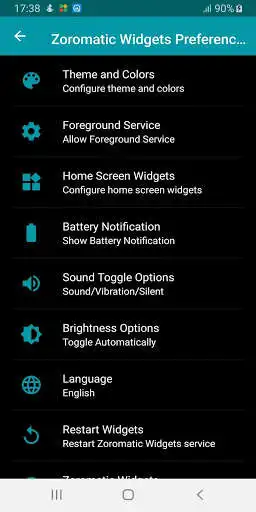
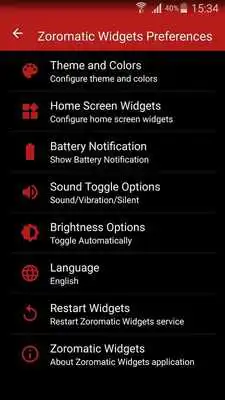
Application also provides Battery Notification in status bar. Start Zoromatic Widgets from Application drawer and select option Show Battery Notification. Select type of Battery Notification presentation: icon or text.
Some toggle widgets work automatically only if allowed by the system (GPS, Mobile Data, Airplane, NFC). Toggle Mobile Data works automatically on Lollipop for rooted devices.
Contact me on [email protected].
Updates:
Open Clock app by clicking Weather & Clock widget for Asus and Sony phones
Zoromatic Widgets from UptoPlay.net
Page navigation: