


Wi-Fi DCS
Wi-Fi DCS
The official app & game
Distributed by UptoPlay
SCREENSHOTS
DESCRIPTION
Use UptoPlay to play online the game Wi-Fi DCS.
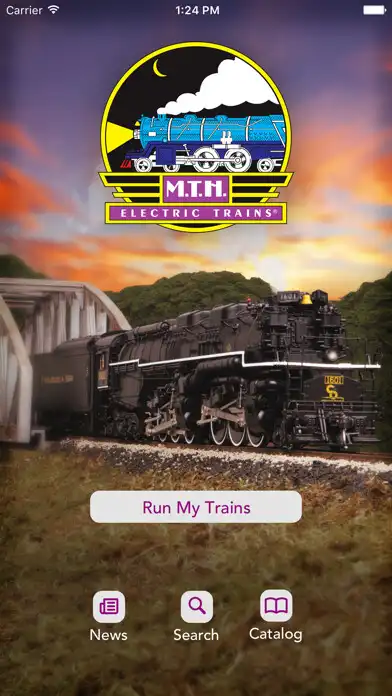
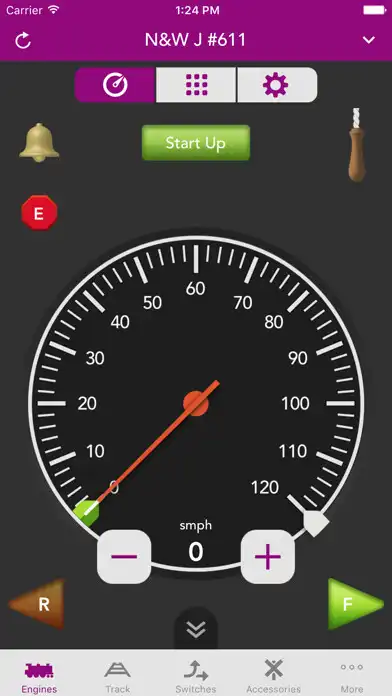
Imagine having control over your model railroad from any iOS or Android phone or tablet. How much more convenient would operating your model railroad be with the same device you use throughout your daily life? The large, bright full-color screens found on today's smart phones and tablets are perfect for accessing the DCS features found inside your Proto-Sound 2.0 and 3.0 locomotives. Better yet, the expanded range and speed of wifi would ensure that your trains respond to DCS commands faster and more reliably than ever before.
When paired with MTH's DCS App and our new DCS WiFi Module, you no longer have to imagine controlling your model railroad with your phone, you can!
The DCS WiFi Module plugs into any DCS Track Interface Unit (TIU) and provides the user with wifi control over the layout when used with the MTH DCS Mobile App. Setup is simple and quick and the module can be configured as a stand alone unit or easily conneted to an existing wifi network.
Enjoy with UptoPlay the online game Wi-Fi DCS.
ADDITIONAL INFORMATION
Developer: MTH Electric Trains, Inc
Genre: Entertainment
App version: 3.2.1
App size: 16M
Recent changes: Corrected issues with the engine control direction buttons and Lionel TMCC engines, corrected Lionel Legacy Labor Bias slider on engine settings, and added a link to the MTH privacy policy on App Settings.
Comments:
App is much more user friendly than using the controller. Quilling whistle is much easier than thumb wheel. However on Android 12 it freezes frequently and needs to be restarted.
Simple app that does the job. I find it much more intuitive than the normal DCS remote or TMCC/Legacy remote. It's not perfect, and occasionally have to refresh the app to get running again. Wish TMCC Locos stored their running speed like DCS/Legacy, but I think this is a fault of the TMCC system and not the app.
The only problem I am having is with the Export function. It will not work on the Android version of the app. I also have the iOS (Apple) version of the app and Export works fine on my Apple devices. The rest of the app works well, and I prefer running my trains with the app instead of the remote.
Tried to upgrade to premium. Google took my payment, I have a receipt, but the app didn't upgrade. since Google sees that I did pay for premium it won't let me try again. i don't know what to do to fix it...
Works great! update needed for the size of the (+ )& (- ) on the speed indicator. I Keep going to 120 accidently by touching the speed display and not the digitized button. #CostingCouplers'
Page navigation: