


Update Play Services - Info & Fix errors(2020)
Update Play Services
The official app & game
Distributed by UptoPlay
SCREENSHOTS
DESCRIPTION
Use UptoPlay to play online the game Update Play Services - Info & Fix errors(2020).
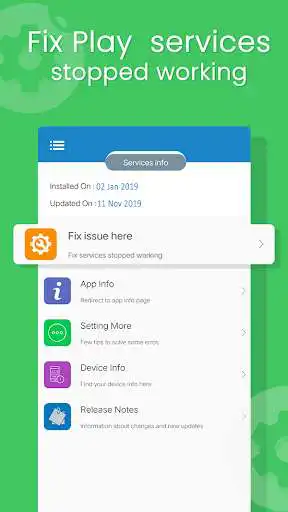
Update Play Services helps to find installed and updated date of Google play services also update play services using this.
A Message Google play services has stopped working a very common issue on Android phones and tablets.
This error message started showing up for Android users.So we looked into it and here are a few solutions below to fix this play services issue.If you have a very old and outdated version of Google Play Services installed. Or this is because of a bug on Googles end and a fix may be coming out soon.
Number of reasons are available for the Google play services has stopped error. If it just started popping up for you, we have several methods to fix this play services stop error and lets see which one fits for your Android device.
How to: Fix Google play services has stopped Error
Wed suggest you to try out the following solutions and tips one by one and see which one works for your Android phone or tablet.
Some things to try and get solution -
1. Update Google Play Services
Since this issue is caused by the Google Play Services app, make sure you have its latest version installed. You can play online the latest release from this page: Google Play Services APK (All Versions). You may be getting an error because you have a very outdated version or the one you have is having a conflict/bug with the current Android version in your phone.
2. Clear app cache
Clear the Google Play Services cache. The Google Play Services app in your phone acts like a framework for all the Google and Google Play apps installed in your phone. You can try cleaning up its cache and see if that would fix the issue. This worked with one of our team members! Read these quick and easy steps :
Go to Settings > Apps.
Scroll to All apps and then scroll down to Google Play Services app.
Open the app details and tap on the Force stop button.
Then, tap on the Clear cache button.
3. Clear cache for Google Services Framework
Clear the Google Services Framework cache. The Google Services Framework system app on your Android device stores information and helps your phone sync with Google servers and keeps your Google Play Services up and running. This could be one of the reasons why you are not able to connect to Google servers using the app and keep getting the error message. Read these quick and easy steps :
Go to Settings > Apps.
Scroll to All apps and then scroll down to Google Services Framework app.
Open the app details and tap on the Force stop button.
Then, tap on the Clear cache button.
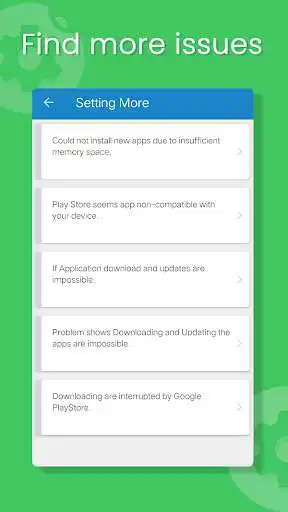
Some Other things and difficulties with play services, please find below and try solution.
- Difficulty in install new apps due to insufficient memory space
- Tired of "Google play services has stopped working"
- Getting problem when downloading and updating app
- Downloading are interrupted by Google play store due to some reason
- If app seems not compatible with your device
- Navigate to play store.
- See device information including device name, model no, resolution etc.
Functionality and Features
- Update play services.
- Play services has stopped working.
- Date of Release and update play services.
- Uninstall update of play services.
- Play services overview.
- Play store had stopped working.
*Note: We are not getting any user information and user's device information, only showing this info to user's in quick manner.
: This app is not affiliated with Google LLC.
Enjoy with UptoPlay the online game Update Play Services - Info & Fix errors(2020).
ADDITIONAL INFORMATION
Developer: Real TechnoLab
Genre: Tools
App version: 1.18
App size: 3.8M
Recent changes: Designed for tablet
Minor bug fixes
Comments:
USP continually stopping. Draining new battery. Techs and I can't find a solution. Fix it! Update: You must have fixed it because the problem is no longer. Poof, it was gone! I hope it never happens again. Very annoying. Tx!
i still keep getting bothered by messages to check when nothing wrong and have rebooted just excuse to show ad. That is the pain to check it
Tried some of your ideas and google blocked them. I uninstalled google play store. It actually allowed me to do this. I am tired of being a slave to Google's apps where I have no control over what these apps do to my phone. My phone is completely ruined from Samsung Electronics and Google. I lost over 6 Gigabytes of personal information and Can't get any of it back. DISGUSTED!
Active Player in Reign of Empirers but lost Level 22 position was unable to retreive app. Notified Goggle play and Cle games didnot reinstate me and started over at level 1. Had my accout charge retreivable but did nothing too help get my Kinngdom back. I spent over$800 Dollars to level up to 22. No help restoring Ceasar to my Alliance with Master of God as my Leader and Great Gaming after 9 weeks. Yea i' am very Dissappointed. And my Castle 22 has been without me 7 days. What waste 800.00
This isn't an update or fix or anything else .. just instructions on something that we've already tried and that's why we end up looking for something that's says update , fix .. complete waste of time and added frustration. I wouldn't have given it 1 star but I had to."
Page navigation: