


Tap (v2) - Quick Google Keep Notes & Todoist Tasks
Tap (v2)
The official app & game
Distributed by UptoPlay
SCREENSHOTS
DESCRIPTION
Use UptoPlay to play online the game Tap (v2) - Quick Google Keep Notes & Todoist Tasks.
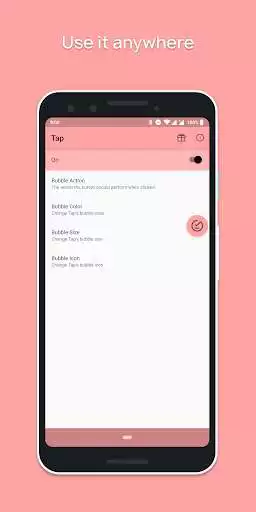
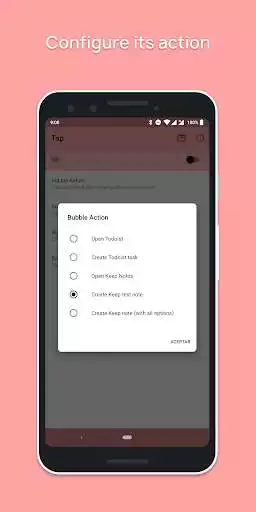
Tap is a floating button that helps you to create quick Google Keep Notes & Todoist Tasks.
Important:
Google Keep Notes or Todoist must be installed for this app to work.
Feature requests and bugs report:
If you want to request a feature, or report a bug, just send an email.
Thanks to Eduardo Pratti for the amazing icon of the app.
DISCLAIMER:
Tap is NOT affiliated nor related to Google, nor Google Keep, neither Todoist.
Enjoy with UptoPlay the online game Tap (v2) - Quick Google Keep Notes & Todoist Tasks.
ADDITIONAL INFORMATION
Developer: Jahir Fiquitiva
Genre: Productivity
App version: 1.0.6
App size: 1.6M
Recent changes: Moar fixes and improvements
Comments:
REALLY want to give this five stars. It's exactly what I've been looking for, but won't cooperate properly on my Pixel 3. Set the app up with no problems, and set things to my liking. My only issue is that the bubble does not stay put on my screen after I allowed the app's only permission. The icon will stay on my screen for maybe five minutes or until my screen times out, where after I wake my phone, it's gone. I'll open the app and the top slider will go from the on to off position.
Want to love the app but it doesnt recongize my tap. Adjusted the size all the way to 96, no fix. Everytime I tap it slowly moves down my screen, teied both sides, tried slow or fast, no fix. Fix the sensitivity or something? Galaxy S8+
I think its a great widget, except personally I don't like it when im watching videos or playing a game. If there is a way to make it transparent when entering certain apps please let me know. Otherwise good job
Page navigation: