


ShiftLog Mens Free
ShiftLog Mens Free
The official app & game
Distributed by UptoPlay
SCREENSHOTS
DESCRIPTION
Use UptoPlay to play online the game ShiftLog Mens Free.
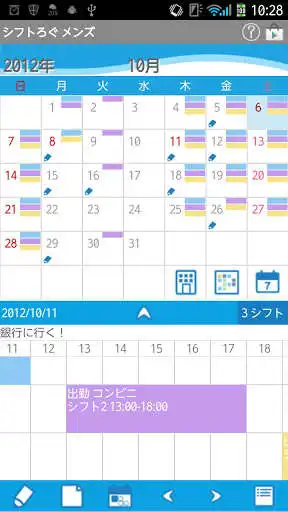
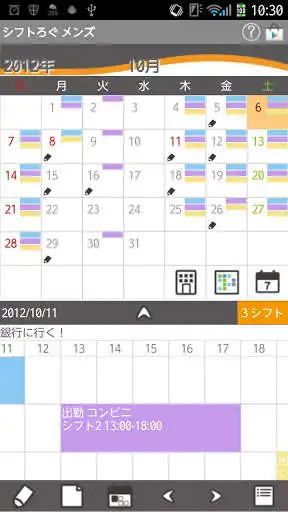
Save and manage workplaces and shifts very easily! Save as much as workplaces and shifts you want! It is unlimited!
Display up to 5 shifts each day! Saved shifts are displayed in timeline below the calendar! Drag and move in all direction!
You can also save breaktime, day wage and set an alarm for each shift! ShiftLog Mens do not sync with Google Calendar. When the mobile is manner mode, the alarm may not work properly by the model.
\t\t\t\t\t\t\t
ShiftLog Mens Howto Guide
Menu Buttons of the mobile
1. Calendar Mail:Send your shift by email with the image.
2. Alarm: Set sound and volume.
3. Setting:Select a background color and set basic functions of the app.
4. Backup: Save the data to SD card.
5. Password: Set the password.
6. More:
---Copy to SD card: Copy the data to internal and external SD card.
---Recovery: Use this function when you want to return to the previous data. Please note that the current data will be deleted when you use this function.
Background Color
Let's select background color first! Press "Menu" button of the mobile and select "Setting".
Select "Color" from "Setting".
Pattern:Blue, pattern:Gray. Select the color you like!
Let's create shifts!
Tap "Edit" button (Pensil) of the calendar.
Move to "Shift List".
Tap button to create a new shift.
Move to "Add Shift" window.
Tap button to create a new workplace.
Move to the pop-up.
Buttons of the pop-up(Creation window of workplace)
aSavebutton.
bBackbutton. Go back to "Add Shift".
cDeletebutton. After saving the name, use this button to delete the workplace.
dName: Enter the name of the workplace.
Save with Save button and go back to Add Shift.
Add Shift Window
ShiftEnter shift name.
TimeSet working hours.
Break TimeSet the breaktime.
Text ColorSelect a text color. Default is white.
BackColorSelect a background color. You can check the color with the preview.AlarmSet an alarm.
Sum AmountDay wage sum. This is for a person who works by hourly wage.
MemoSave a memo.
Save with "Save" button.
Create a new shift for the same workplace.
Tap button in Shift List window.
Move to Add Shift window. When you create a shift for the same workplace, confirm the workplace name is selected (red color). Enter shift name and so on.
Create more shifts in the same way.
After saving shifts
You can confirm all the shifts you created in the Shift Lift window.
Tap "Edit" button (Pensil) to edit each shift.
Tap one of the shift and move to the calendar.
You can see the selected shift in the balloon. Tap the date you want to add this shift. You can add and delete the shift just by tapping the day!
Delete the shift by tapping twice! It is so easy!
Release the selection with "Close" button. Tap "Edit" button of the calendar to select another shift.
Select a day Tap one of the shift below the calendar!
Move to Shift Edit window.
Check here workingabsencepaid leavecompensatory leave.
Change working hours if it is necessary.
Add and Edit memo.
Calendar's button
WorkplaceSee the list of workplaces. Select one to display the calendar.
ShiftSee the list of shifts. Select one to display the calendar.
Weekly displaySwitch the display from monthly to weekly.
EditCreate a new shift.
NoteCreate a short memo.
TodayGo back to today's date.
Left and RightMove dates right and left.
ListSwitch the display from the calendar to the list.
Enjoy with UptoPlay the online game ShiftLog Mens Free.
Page navigation: