


SchoolLink Messenger
SchoolLink Messenger
The official app & game
Distributed by UptoPlay
SCREENSHOTS
DESCRIPTION
Use UptoPlay to play online the game SchoolLink Messenger.
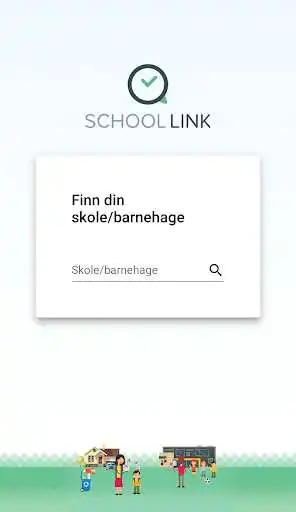
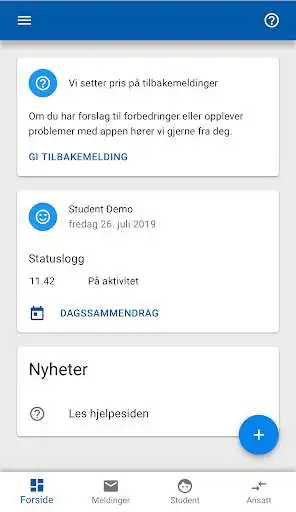
SchoolLink app can be used by guardians, students and teachers.
Depending on what modules your school or kindergarten is using, guardians can send messages to teachers, report absence, register pick-up messages (After school activity and kindergartens) and give consents. You can also choose to get push notification when your pupil is picked-up or leave school or kindergarten.
Send messages to the school or kindergarten
Register absence message with date and time and see if message is confirmed by the school
Register pick-up and drop-off rules and messages
See academic calendar
Give consent when requested
Answer response forms sent to you
Choose how to be alerted when you receive new messages
Choose to receive a email copy of all messages sent to you in the system. If message has attachments, the file will be attached to the email copy.
View contact information of other guardians in your children's group
Be alerted through push message or email about new message from the school or kindergarten
Upload a picture of your self to make it easier for staff and other guardians in your pupils group to get to know you.
As a student, you can:
Send messages to the school
Register absence message with date and time if your school have activated this feature
See academic calendar
Answer response forms sent to you
Choose how to be alerted when you receive new messages
Choose to receive a email copy of all messages sent to you in the system. If message has attachments, the file will be attached to the email copy.
Be alerted through push message or email about new message from the school
Teachers can use the app to send all types of information and announcements which has previously been sent through manual forms of communicating. The system enables you to view who has read the messages to ensure that the parents have received the message.
All communication recorded in one system
Send message or SMS to one parent, a class or the entire school
Read and respond to messages from parents
Obtain consent forms
Overview of all the messages you have access to in the system
Get notifications when absence message is registered on any of your students
Confirm absence messages to inform guardians that you have received the absence message
Overview of who will be present in your classes and groups based on absence messages sent by guardians via SchoolLink
A "do not disturb" function to avoid notifications when silence is required
Photos of students making it easier for substitutes to recognise the students and guardians
Choose to receive a email copy of all messages sent to you in the system. If message has attachments, the file will be attached to the email copy.
Be alerted through push message or email about new message
Upload a picture of your self to make it easier for guardians to get to know you.
This app will ask for permission to use the USB storage on your phone. This access will only be used for storage of information that the app needs, and to allow the user to upload pictures to the app.
Enjoy with UptoPlay the online game SchoolLink Messenger.
ADDITIONAL INFORMATION
Developer: Netpower
Recent changes: Improvements and bug fixes
Page navigation: