


QR Barcode Scanner
QR Barcode Scanner
The official app & game
Distributed by UptoPlay
SCREENSHOTS
DESCRIPTION
Use UptoPlay to play online the game QR Barcode Scanner.
Developed by a professional engineering team, it is the lightest (but fast, efficient and feature-rich) QR code scanner & barcode scanner app for Android you can ever find on the Google Play Store.
QR Code Reader, Barcode Scanner app focuses on core functionality to scan and read most common types of QR codes and barcodes with super fast speed and delightful user experience designed for all Android devices.
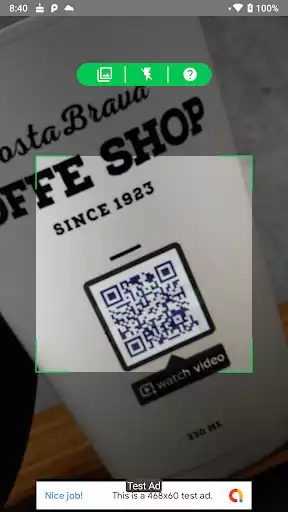
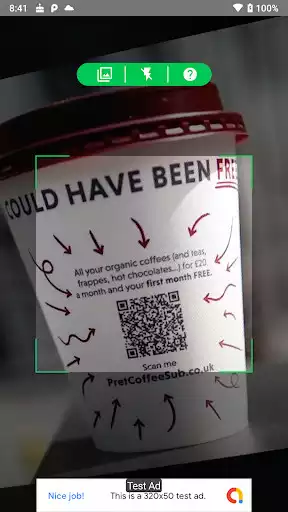
QR Code Reader, Barcode Scanner app is extremely easy to use. It uses the Android phone's camera to scan and read QR codes and barcodes in just a second and then allows you to take the appropriate action effectively.
QR Code Scanner, Barcode Scanner Android App helps you to scan and read all types of QR codes and barcodes.
QR Code Scanner, Barcode Scanner app can also help you to check country of origin and product information of barcodes to reduce the chances of buying low quality or unknown origin products.
QR Code Scanner, Barcode Scanner app does not require any special permissions, it does not collect any personal information, contact list or anything. This is just a QR code reader app which helps you to scan QR code and scan barcode everywhere using Android phone.
QR Code Scanner, Barcode Reader app also has a QR generator feature so you can easily generate your own QR codes with different types.
no ads
Super-fast, super-lightweight, and easy to use
Advanced setting options to make sure the scanner is optimized for your own Android camera
QR Code Generator: Generate QR Code using your phone.
how to use:
- To scan a QR code or barcode, simply open the QR scanner & barcode scanner app, hold the camera in front of the QR code or barcode, and the app will automatically read the code and show you its contents efficiently.
- To scan images from your device's gallery or click on the gallery icon at the bottom right of the app. Then select the image you want to scan.
- To generate QR Code: Just open QR Code Reader & Barcode Reader app -> Select "Generate" on the bottom menu. Then type the data for which you want to generate a QR code and click on Generate. QR code will be generated and then if you click on save the QR code will be saved in your gallery.
Enjoy with UptoPlay the online game QR Barcode Scanner.
ADDITIONAL INFORMATION
Developer:
Recent changes: * Initial Version Of QR & Barcode Scanner App
* Scan QR code
* Scan Barcode
* Scan From Gallery
* Create Your Own QR Code
Page navigation: