


Pedometer (Privacy Friendly)
Pedometer (Privacy Friendly)
The official app & game
Distributed by UptoPlay
SCREENSHOTS
DESCRIPTION
Use UptoPlay to play online the game Pedometer (Privacy Friendly).
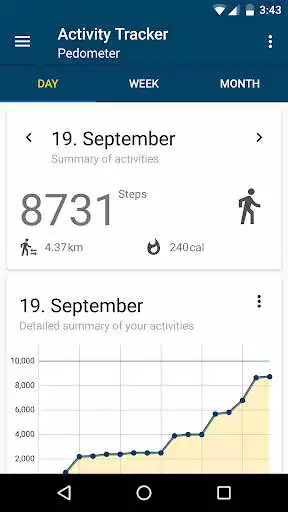
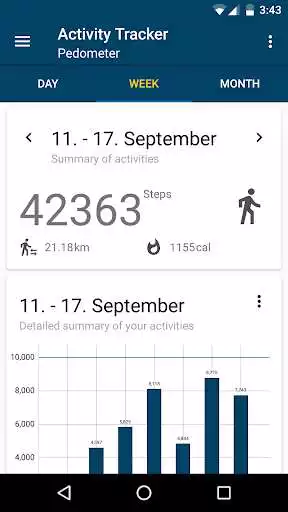
Privacy Friendly Pedometer can count your steps in background, provides you an overview about your walked steps and allows you to define custom walking modes and notifications if the achievement of your daily step goal is in danger. The app requires minimal permissions (Run at startup and prevent phone from sleeping). It belongs to the Privacy Friendly Apps group developed by the research group SECUSO at Technische Universitt Darmstadt. More information can be found an secuso.org/pfa
Privacy Friendly Pedometer can count your daily walked steps while it runs in background. It gives you an overview about your walked steps, distance and about the calories you have burned while walking. You can add and choose different walking modes with different step lengths, such as walking or running, to improve the calculation of distance and calories.
In a special training mode you can track your training sessions. To each training session additional information, such as feeling or a description, can be added.
What makes Privacy Friendly Pedometer different from other pedometers?
1. Minimal amount of permissions:
\t* Run at startup: This permission is required to restart the step counting when your phone boots.
\t* prevent phone from sleeping: On some devices the processor falls asleep and prevents counting steps. With this permission the app can keep the processor awake while counting steps.
\tMost of Pedometer Apps in the Google Play Store require additional permissions. E.g. accessing the network or Internet which is mostly used to display advertisement. Some apps have access to GPS or telephony data.
2. No advertisement.
\tMany other free apps in the Google Play Store dazzle annoying advertising and also shortens battery life.
Enjoy with UptoPlay the online game Pedometer (Privacy Friendly).
ADDITIONAL INFORMATION
Developer: SECUSO Research Group
Genre: Health & Fitness
App version: 2.4
App size: 4.6M
Recent changes: PLEASE UPDATE IF YOU HAD PROBLEMS WITH RECENT VERSIONS
- Made hardware step detection optional and opt-in since some devices are not compatible
- Added permission for physical activity (necessary from SKD 29+)
- Reduced sensor poll frequency for battery reasons
- Small fixes
Comments:
Worked well until it suddenly stopped working in December 2021. Fooled around with the settings. Worked sporadically. Help is rudumentary and inadequate. Checked info at Secuso website. Right now, I think this app may have been the victim of an app update or an operating system update. I like the idea of a private open source pedometer so much I'm going to reinstall it and try some more to get it to work dependably. Sadly, it's not yet suitable for the casual Android phone user.
This app was really great till the spring update basically killed it. The latest is a bit better but more like less bad, basically useless. Big interface problem too, the play/pause button that does the opposite of what it should, and should be a setting instead. Sheesh! A private app was a big public service, who are the fools who were allowed to destroy it?
Does exactly as it says. Helps the user manage their walking without exploiting the data or device. Super easy to use!
App is accurate, to calibrate it to your step length; you go to Settings - Walking Modes - then adjust the step length to match the distance you walked. If you don't have a measured mile somewhere, you can use your car to measure a mile or some shorter distance if you are not up to miles yet or possibly google maps and walk it. then adjust your steps to match the distance. Have a good time getting out.
This app is great! It does everything and maintains my data privacy. The only thing I would tweek is when I want to scroll backwards by weeks, days or months; if it was a dial function or something to make it easier to then scroll back to the present calendar. Ps. Do you make a calculator app? I swapped my broken phone for a replacement but the replacement was missing many of the usual apps ☹'
Page navigation: