


PDF Converter
PDF Converter
The official app & game
Distributed by UptoPlay
SCREENSHOTS
DESCRIPTION
Use UptoPlay to play online the game PDF Converter.
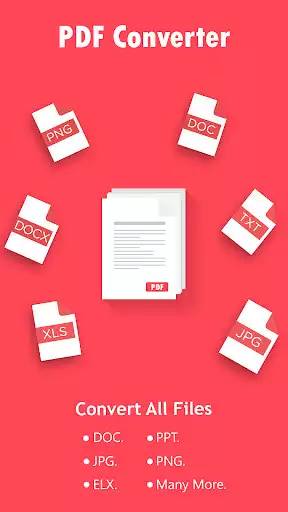
The best way to convert PDF documents to common file formats and vice versa right on your Android device. Just add or scan your reports, receipts, spreadsheets, designs and convert them to Word, Excel, Image, AutoCAD and more formats. The simplicity and amazing conversion quality make this app the ultimate file converter for your phone.
Use PDF Converter to:
Make professional PDF documents from your cover letters, certificates, portfolios and other documents when applying for a job.
Immediately manage reports, projects, invoices, and other documentation while on a business trip or out of the office.
Easily manage student notes, lectures and learning materials.
Some of PDF Converter major features are:
File converter of excellent conversion quality.
PDF scans and complex documents are converted as well.
Powerful PDF scanner.
Cloud services are supported (Dropbox, Drive, OneDrive, Box and more).
Various file formats are supported (Word, Excel, Image, AutoCAD and more).
Theres even more:
Different PDF quality options: high, medium, and low.
Batch conversions: as one file, as separate files.
Different PDF size: cropped part, letter, and A4.
How to use PDF Converter app?
It takes only three simple steps to convert PDF to desired file format:
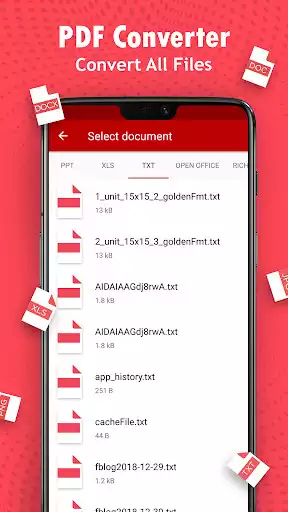
1. Select the document you want to convert. It can be a PDF file from your phone, cloud services or a PDF scan (scan your paper document with your phone camera).
2. Choose a conversion type.
3. Choose the PDF output, PDF quality, and page size.
And that would be all! Files are converted by our powerful servers, and after conversion the result is downloaded to your device and files deleted from our servers. This also means the app won't burden your processor or RAM, nor it will drain your battery.
Supported conversion types:
- PDF to Word
- PDF to Excel
- PDF to PowerPoint
- PDF to JPG
- PDF to AutoCad
- Scan to PDF
- Scan to Text
- Scan to Word
- Scan to Excel
- PDF to Text
- Publisher to PDF
- XPS to PDF
- Word to PDF
- Excel to PDF
- PowerPoint to PDF
- Text to PDF
- Log to PDF
- RTF to PDF
- JPG/JPEG to PDF
- BMP to PDF
- PNG to PDF
- GIF to PDF
- TIF/ TIFF to PDF
- OpenOffice Writer ODT to PDF
- OpenOffice Impress ODP to PDF
- OpenOffice Calc ODS to PDF
- MHT/MHTML to PDF
Enjoy with UptoPlay the online game PDF Converter.
ADDITIONAL INFORMATION
Developer: Cometdocs.com Inc.
Genre: Productivity
App version: Varies with device
App size: Varies with device
Recent changes: Bug fixes and performance improvements
Comments:
It definitely did what it said but the only thing is they charge you like $6.99 per conversion. They let you try the text one for free for So many times. And there is something for $20 bucks but I think it's for only so many times and then once it's done they charge you another $20 for it. So I might find something else. I don't mind paying a one-time fee to use the app forever, but I think they pay as you go on this one so I don't really particularly care for that model of app.
BEST IMAGE TO PDF APP I FOUND! Must have tried at least 10 and it was hell. I was just looking to convert a couple of emails to pdf and it was insane. There was not a single app that I found that could do that. Ridiculous! Something so simple. Blackberry would have had an app to do this I'm sure! Anywho, best I could do was to take a screenshot of the email and transfer that to pdf. This app actually lets me select the image quality, so I felt it provided the clearest results. Not 5 STARS because it didn't seem to let me name the files before it saved them so I had to rename it later from my files folder. Also it wouldn't do more than 1 file at a time so I had to do my 4 images one by one. The quality was good though and I had the option to select the format of the pdf as well, such as letter size, compressed file and A4... I chose letter size and it's a clear enough document that now I can now fax.... as I was required to do by ancient tech people.
So far (I've only used it a couple of times) It's done exactly what I need it to do. I share information on social media that's sent to me in PDF and it needs to convert to JPEG to upload correctly. I also retrieve JPEG and png files that have to convert to PDF in order to pull specific info in a copy and past form. This is a very versatile tool and it's free. Other apps charge a monthly subscription for doing the same thing. I definitely recommed this.
I haven't used the app yet and already I'm disappointed. Nowhere does it say that there's a fee before you can convert anything. It allows unlimited use after a (presumably) one time fee, and the fee is very reasonable, but the fee should have been disclosed. Downloading the app is free, so you're not out any money and can uninstall the app, but there's no indication of a refund if you pay and aren't satisfied. I hope it works as well as the ad says.
This app is the fastest and simplest conversion app I've found. It did what I needed it to very easily and quickly with no annoying or obnoxious adds, pop-ups, menus, or hidden fees. However, I would like to warn you that it charges for most types of conversions, besides .pdf to .txt and most conversions to .pdf. The other conversions are priced, but they do offer a decently priced pack to unlock them all. I would definitely recommend this app."
Page navigation: