


Notification for Fitbit
Notification for Fitbit
The official app & game
Distributed by UptoPlay
SCREENSHOTS
DESCRIPTION
Use UptoPlay to play online the game Notification for Fitbit.
Display notification of Android application on your Fitbit device.
Target device:
Fitbit Alta, Alta HR, Charge 2, Blaze, Surge
Usage:
This application assumes that the official Fitbit application is installed and connected to the Fitbit device.
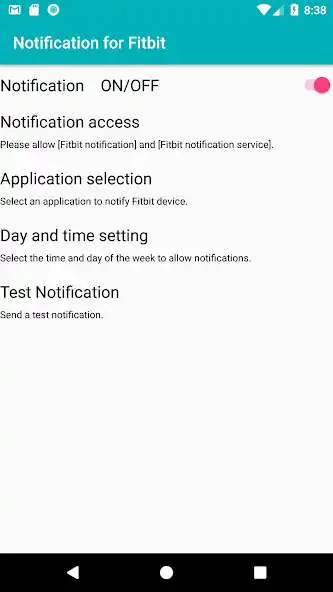
1. Please select "Notification for Fitbit" in "Text message" of Fitbit official application "Notifications" menu.
2. Please allow "Notification for Fitbit" and "Fitbit Notification Service" in Fitbit Notification "Access to Notification".
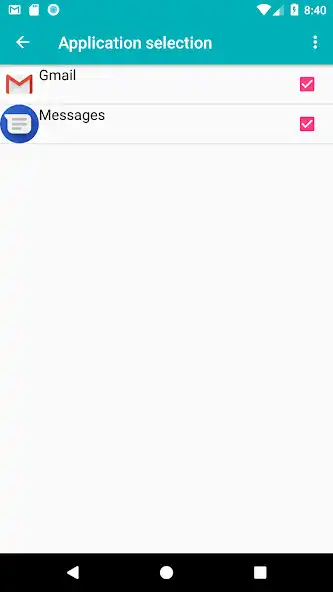
3. Please select the application you want to display the notification on Fitbit device with Fitbit notification "Application selection".
4. Please check whether the notice of the selected application is displayed on the Fitbit device.
This application contains deliverables distributed under license of Apache License, Version 2.0.
* When it stops.
Made by Huawei.
Please check the setting of the battery such as "Protected apps".
It is necessary to set "Fitbit for Notification" and "Fitbit Official Application" to work.
There are multiple battery settings.
Most important settings
Settings Applications and Notifications Applications Settings Special Access Ignore Battery Optimization Upper Right All Applications Applications Permissions
Settings Batteries Activate Apply Manage by hand (auto start, start by other application, run in the background).
Enjoy with UptoPlay the online game Notification for Fitbit.
ADDITIONAL INFORMATION
Developer: Japanese Corporate Slave
Recent changes: 1.17 Corresponding version change
Page navigation: