


MQTT Client

MQTT Client
The official app & game
Distributed by UptoPlay
SCREENSHOTS
DESCRIPTION
Use UptoPlay to play online the game MQTT Client.
**NO LONGER UNDER ACTIVE DEVELOPMENT**
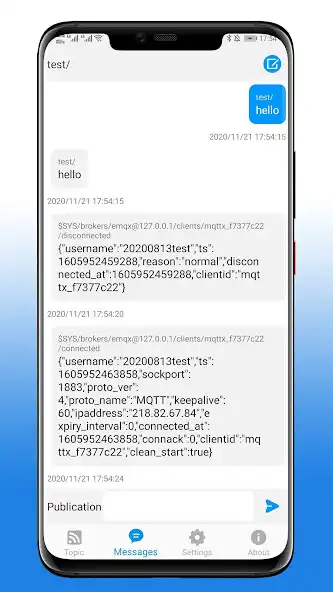
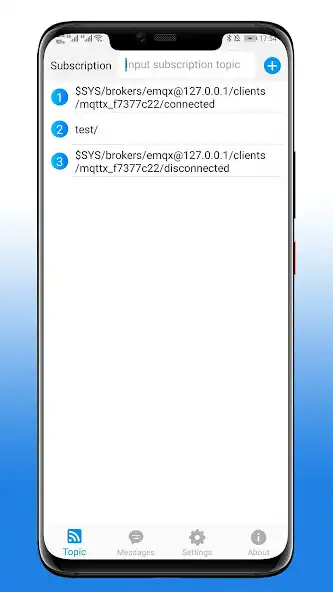
Connect to any MQTT v3.1 broker and subscribe to topics. Perform Tasker actions on message publish or publish messages on tasker events. The app still might be rough around the edges. Would be releasing the code soon on github so that the development could continue over there.
Tasker Integration works as follows:
-To publish messages from tasker simply create a action in tasker. The configuration is pretty simple. You may use tasker variables in topic and message.
-To perform action whenever a message is received. Create a event in tasker from the plugin. In the tasker configuration screen, there'll be a topics drop-down and topic variable name field and message variable name field. The drop-down will have topics subscribed. In the topic variable name field, you can add any string in lowercase characters. Same for message variable name field. Now, whenever a message is pulblished on selected topic, two tasker local variable will be created with the names as entered in the textbox for the published topic and published message.
-Multiple Brokers
-Websockets Support!
-Add/Remove topics easily!
-Messages are automatically saved!
-SSL support
-Publish Messages
-Support any app that supports locale SDK
Github URL : https://github.com/dc297/mqttclpro
Please report issues on github
Feedback is highly appreciated!
Enjoy with UptoPlay the online game MQTT Client.
ADDITIONAL INFORMATION
Developer: Webneurons
Genre: Tools
App version: 4.5.1
App size: 4.8M
Recent changes: Fix a bug with Android Pie
Comments:
`Got it working on my lg v60 (android 10). If you get "no message received" you may have to add a terminating "/" on the topic. The dev could be a LOT more forgiving on this ... if the user doesn't put a "/ add one for them. I needed a lot of trial an error getting this to work. Tasker integration is confusing as well -- why do you need to declare variables? -- you can internally define one to use just in case so the user doesn't need to know about them. Tell them you did it, and what they are, in case they want to leverage them in another event. Also, in Tasker, if you've already chosen the topic in the dropdown, why do you also need to type it on the "topic" line as well to get it to work? And if you don't need anything below the line "for non tasker users (while inside the tasker plugin)) why don't you have a "message" line above the line so we can check for that specific message? It's too confusing in there. It does work, it's just VERY confusing to get set up correctly.`, `Only app that works with tasker! Besides working as a beautifully simple MQTT client, this app has the added functionality of working as both a task trigger, and action. Yes, it runs in the background, you wouldn't recieve a status update from a subscribed topic otherwise.. No connection issues with my broker, other reviewers must be experiencing "user error".`,Client refuses to remain connected for any real length of time. Reconnect function in Tasker doesn't even attempt to reconnect; I have to launch this app, pull up the broker settings and click save before it will reconnect.
it does what is promised, but it absolutely kills my battery life. i tried increasing the keep alive time, but then it doesn't send messages. i wish it would only connect when j send a tasker command
It's ok, I can sub and pub to messages, having a bit of trouble connecting via hostname at times, but is there a way to shut down the client without force stopping it?"
Page navigation: