


Mobizen Mirroring

Mobizen Mirroring
The official app & game
Distributed by UptoPlay
SCREENSHOTS
DESCRIPTION
Use UptoPlay to play online the game Mobizen Mirroring.
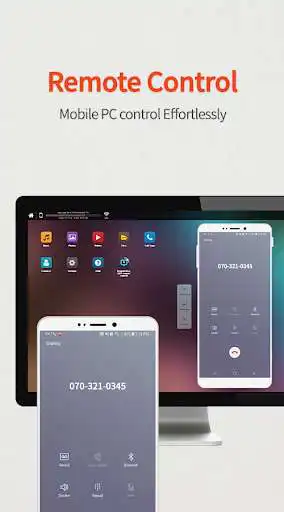
controls Android devices from a PC.
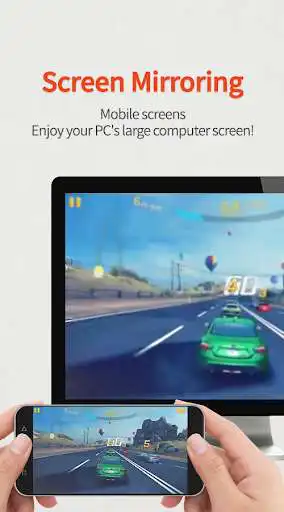
shows the screen of Android/iOS devices on a PC.
supports wired/wireless connections (3G/LTE/Wi-Fi/USB).
Use Mobizen to do these
Enjoy games/video/pictures on a bigger screen.
Control smartphones with keyboard and mouse.
Receive alerts and notification on the PC.
Access the phone when it is not with you.
Find or copy files to/from the phone.
Main features
Screen mirroring: enjoy mobile screen in the big way!
control the mobile from PC!
Connect in any way: supports USB/3G/LTE/Wi-Fi.
(3G/LTE/Wi-Fi available on Professional version only)
securely remote control devices with 2-step verification.
easily access files on the mobile device.
receive all alerts and notifications on the PC.
Other features
Mirror in full screen.
Adjust transparency on the PC side.
Record the smartphone from PC.
Quick access key such as HOME, MENU, BACK, SEARCH, POWER and VOLUME.
Skin specific to the device.
Clean recording / mirroring without watermark.
Use Google or Facebook account to connect.
< 2 ways to get started>
[1] Get started with an email.
- Launch the Mobizen Mirroring app.
- Press [Start].
- Select an email account registered on the phone.
- Enter the password and press [Start].
- On the PC, open www.mobizen.com.
- Enter the email and the password to login.
- Done! You are now connected.
[2] Get started with Goole+/Facebook
- Launch the Mobizen Mirroring app.
- Press [Start].
- Select either Goole+ or Facebook.
- Allow the usage of the selected account.
- On the PC, open www.mobizen.com.
- Select the same SNS account (Google+ or Facebook) to login.
- Done! You are now connected.
< System requirements and browser information >
* Mobizen Mirroring supports Android N.
[Mobile]
-Android 4.1 or higher
[PC Operating System]
-Windows 7 or later
[Browser]
-Chrome 21 or higher, Firefox 18 or higher, Internet Explorer 10 or higher, Safari 7.1 or later
Do you want know more about Mobizen?
Helpdesk http://support-mirroring.mobizen.com/hc/en-us
Website https://www.mobizen.com/?locale=en
Enjoy with UptoPlay the online game Mobizen Mirroring.
ADDITIONAL INFORMATION
Developer: RSUPPORT Co., Ltd.
Genre: Productivity
App version: 2.21.19.54
App size: Varies with device
Recent changes: Add service status value at app startup
Comments:
This is some excellent software which I've used for 4 months without much issue. The only problem I percieve are occasional errors, where it loses the connection between an android device and the computer. This can occur after 30 minutes of use, or sometimes 8 hours hours later. Aside from these occasional glitches and a need to sometimes reinstall the app, it does what it is meant to do, and does it well. 4 stars.
This app only mirrors what's on my screen with no option to control like the Samsung version did. However, the Samsung version wasn't any better, as it had major issues connecting to my device. This one at least connects, however, I can't do anything unless I physically touch my phone.
I may up this to a five star rating in the future. I've had my frustrations getting it to work and if you want to stream with it the pay service is necessary. Now that I have it working it is usually quite functional, though there are some issues with delay. Untangling app issues with other issues can be a bugger.
Doesn't work. Asks in 2-step verification for code on phone but computer doesn't give one. Small phone onscreen to log in but doesn't, says no device connected. Doesn't work on USB nor WiFi. Requires internet connection on PC (I don't want to use double data for movie if not on USB). Advertised saying casts to screen but reviews say it only shows inside that onscreen phone skin (if so that's not onscreen it's in a phone display). Tried 2 different carriers and phones. Permissions bad too.
I have used this app for several years as a volunteer, teaching Android phone classes to senior citizens. I project my computer screen onto on a wall screen and demonstrate various phone functions to the class. It does a great job. I will miss the app.'
Page navigation: