


Light Manager Pro - LED Settings
Light Manager Pro
The official app & game
Distributed by UptoPlay
SCREENSHOTS
DESCRIPTION
Play this online game named Light Manager Pro - LED Settings .
Light Manager Pro - LED Settings is lightmanagerpro,productivity,light,manager, content rating is Everyone (PEGI-3). This app is rated 3.75 by 24 users who are using this app. To know more about the company/developer, visit MC Koo website who developed it. com.koo.lightmanagerpro.apk apps can be downloaded and installed on Android 4.3.x and higher Android devices. The Latest Version of 14.0.1 Available for download. Download the app using your favorite browser and click Install to install the application. Please note that we provide both basic and pure APK files and faster play online speeds than APK Mirror. This app APK has been downloaded 37412+ times on store. You can also play online com.koo.lightmanagerpro APK and run it with the popular Android Emulators.
Note: This is exactly same as free version of Light Manager but with no advertisement. Please try the free version first to see if your device is compatible before purchasing. Note that there is no internet permission in paid version, so your private data is safe.

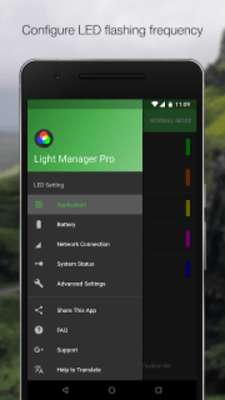
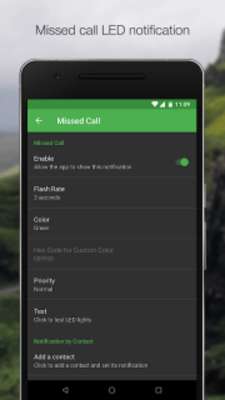
Configure LED color and its flashing frequency for notification as shown below:

- Miss call

- SMS

- MMS

- Gmail

- Calendar reminder

- Hangouts

- *Email

- *Facebook

- *Facebook Messenger

- *Twitter

- *WhatsApp

- *BBM

- *LINE

- *GO SMS Pro

- *Handcent SMS

- *chomp SMS

- *Textra SMS

- *Verizon Messages

- *Any 3rd party apps

- Low battery

- Battery charging

- Battery charged

- No signal

- Roaming

- No 3G/4G

- No Wifi

- Airplane Mode On

- Silent Mode On

- Vibration Mode On

- Ringer Mode On

- Mobile Data On

- Wifi On

- Wifi Hotspot On

- GPS On

- Bluetooth On

- NFC On

On Android 4.1 and 4.2, ROOT is required for those mark with asterisk *. After grant the ROOT permission, you need to restart Light Manager for changes to take effect. However ROOT is not required anymore from Android 4.3 onwards. You need to enable the Notification Access for Light Manager at Setting > Security > Notification Access > Light Manager.

There are three operating modes:

1) Normal Mode - Only LED color for the first notification will be flashing

2) Alternating Mode - A few LED colors will be flashing alternately when multiple notifications are received

3) Screen Mode - Notifications alert will be shown on screen (For those devices without a physical notification LED, only available for Android 4.3 and above)

You may go to the test section to test whether this app works for your device.

For Samsung devices:

- Device's screen needs to be turned off in order for the notification LED to work

- You need to go to Setting > Display > LED indicator and enable "Notifications" in order for this application to work

For supported devices list and FAQ, you may go to the link below:

https://docs.google.com/document/d/1t26evGufoC4Fha1Vjyho1cgBKHY6MLJGBPHcsGKZVLc/edit
Updates:
- NOTE: The false malware detection issue has just been fixed by Avast. Sorry for the inconvenience caused.
- - Fix flash rate UI setting issue on Whatsapp Group LED
- - Fix error 505 while installing app
- - Added missing translation French, Ukrainian, Swedish, Arabic, Czech, Persian
Light Manager Pro - LED Settings from UptoPlay.net
Page navigation: