


Lifesize Room Controller

Lifesize Room Controller
The official app & game
Distributed by UptoPlay
SCREENSHOTS
DESCRIPTION
Use UptoPlay to play online the game Lifesize Room Controller.
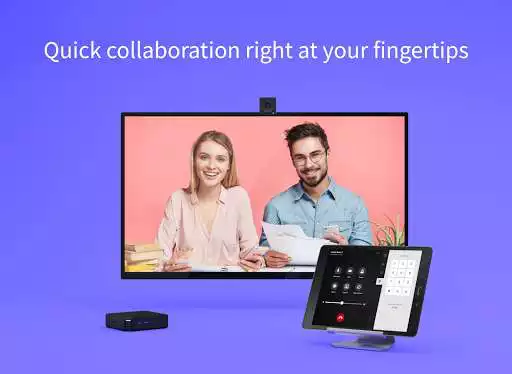
Experience video conferencing in the most effortless and effective way possible.
Lifesize delivers award-winning, cloud-based video conferencing technology that allows you to connect, communicate, and collaboratefrom one-on-one audio and video calls to full-scale company meetings spanning multiple locations.
With the Lifesize Room Controller app, you can manage your video conferencing experience right from your tabletwhether you are using a Lifesize Icon integrated room system or a room kit running our software-based Lifesize Dash solution.
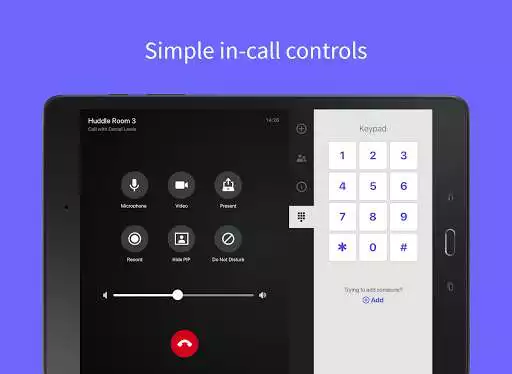
Search your company directory, start or join a meeting, share your screen wirelessly, access in-call controls, and more all with the tap of your finger.
Lifesize. Work together.
Features include:
Touchscreen control for your Lifesize video conferencing experience
Tap to call any contact, room, or meeting instantly
Simple in-call controls for video, audio, presentation, and more
Share content from your device to an in-room display or with remote participants during a call
Position a supported room system camera with interactive controls and configurable presets
Record calls and meetings for access on demand from cloud video library
Comprehensive, name-based directory with universal search, contact status, and favorites
Real-time calendar integration with one-touch join for meetings on the schedule or in progress
Compatible with Lifesize Icon 700 with Phone HD, Lifesize Icon 300 with Micpod 3, and Lifesize Dash
Have a question or need help? Contact us at https://www.lifesize.com/support
Enjoy with UptoPlay the online game Lifesize Room Controller.
ADDITIONAL INFORMATION
Developer: Lifesize
Genre: Communication
App version: 2.2.1
App size: 43M
Recent changes: Thank you for using the Lifesize Room Controller app! Here's what's new in this release:
- Some housekeeping and other bug fixes
Comments:
Please fix the bug as i using note 10+ & the user interface are for pad & overscan the screen size. I can't press the camera preset button, i can't zoom as well.."
Page navigation: