


Labtime Scheduler

Labtime Scheduler
The official app & game
Distributed by UptoPlay
SCREENSHOTS
DESCRIPTION
Play this online game named Labtime Scheduler.
Use this app to keep track of current and upcoming events in a lab schedule.Follow these steps to use this app:
1. Export the schedule as an Excel file from the Event Scheduler program.
2. Download the exported Excel file into your Android device.
3. Start the Labtime Scheduler app.
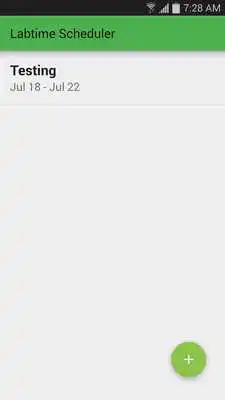
4. Click the add button (+) and select the exported Excel file.
5. Select the schedule from the list presented by the app.
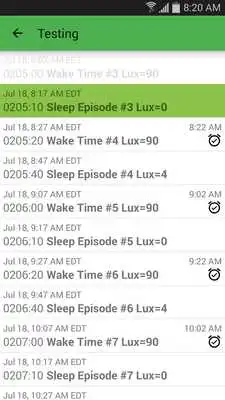
The app shows a list of all the events in the selected schedule, along with their labtimes and the equivalent real times in Boston. Past events will be grayed out, and the current event (the last one that already started) is shown with a green background. The list is initially centered on the current event, and you can scroll up or down to see all the other events. Tap on an event to set a reminder.
Once you're no longer interested in a schedule, you can long-press to remove it.
Updates:
Version 1.7:- Support Excel 97/2003 file formats.
Version 1.6:
- Fix labtime calculation bug.
Version 1.5:
- Fix bug in schedule import.
- Improved icons.
Version 1.4:
- Notifications.
- Performance improvements.
Version 1.3:
- Improved material design.
- Better new schedule selection dialog.
Version 1.2:
- Added options for adding and removing lab schedules.
Version 1.1:
- Fixed startup crash on Android L.
- Updated app icon and reduced app size.
Labtime Scheduler from UptoPlay.net
Page navigation: