


Hide Pictures – File Protect
Hide Pictures – File Protect
The official app & game
Distributed by UptoPlay
SCREENSHOTS

DESCRIPTION
Play this online game named Hide Pictures – File Protect .
Hide Pictures – File Protect is intelsecurity,fileprotect,media,video,file,protect, content rating is Everyone (PEGI-3). This app is rated 5 by 3 users who are using this app. To know more about the company/developer, visit McAfee (Intel Security) website who developed it. com.intelsecurity.fileprotect.apk apps can be downloaded and installed on Android 4.0.x and higher Android devices. The Latest Version of 1.1.2.229 Available for download. Download the app using your favorite browser and click Install to install the application. Please note that we provide both basic and pure APK files and faster play online speeds than APK Mirror. This app APK has been downloaded 538+ times on store. You can also play online com.intelsecurity.fileprotect APK and run it with the popular Android Emulators.
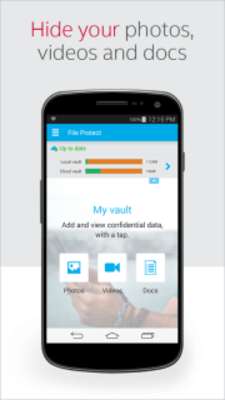
FREE Intel Security File Protect is the best private app to keep all of your selfie, photos, pictures, videos or documents safe behind a secure PIN. You can simply import your files (selfie, photos, pictures, videos and documents) from Android Gallery and SD card or take photos or videos straight from the app. You can even backup your secure files to your Google Drive or Dropbox. We’d also like to introduce “Secure Share”, which enables you to share your private files with other people and devices securely.

Questions? Please contact File Protect (Hide Pictures & Videos) support at [email protected]

★KEY FEATURES of File Protect (Hide Pictures & Videos)★

SECURE VAULT (HIDE PICTURES, VIDEOS AND DOCUMENTS)

►Import photos, videos or documents from your Android Gallery to a secure vault behind a PIN (Note: all imported files will be removed from your Android Gallery)

►Export selected photos, videos or docs back to your Android Gallery

►If your device goes missing, your vault files will appear unreadable to anyone who tries to extract your device data.

►File Organizer: You can now create albums to organize the photos, videos, and documents in your secure vault.

Note: If you accidently uninstall Intel Security File Protect, your files in the app will be deleted. We certainly don’t want you to lose your memory. To save your files, please backup securely to Google Drive or Dropbox.

SECURE SHARE (Cloud File Only)

►Once you have connected File Protect with your Google Drive or Dropbox account, you can securely share a cloud file of any size with other people and devices.

SECURE CLOUD BACKUP

►Use “Google Drive” or “Dropbox” to store your private files

►If your cloud or email account is ever compromised, your files will stay encrypted.

►If you lose your device, you can simply play online File Protect to your new device, access your cloud account and restore your private data.

SECURE SNAP (INSTANT AUTO ENCRYPTION)

►Turn on Secure Snap mode in Settings and your entire photo session will be auto encrypted and locked in the vault. When you’re done, turn it off and all subsequent photos/videos you snap will go to your gallery again.

►Quick Secure Snap: Snap photos or videos and store in your vault without entering the PIN

CAPTURECAM (BREAK-IN ALERTS)

►CaptureCam takes a snap of the intruder’s face after 3 failed vault PIN entries. The photo will be stored inside the app and also visible in the cloud.

CROSS DEVICE/PLATFORM SUPPORT

►Access your private data on Android & iOS devices

►Hide files on one device, sync to the cloud, and access them on other devices – simply use the same cloud account (Dropbox/Google Drive) & vault PIN

★Other Intel Security / McAfee Apps★

►Free McAfee Mobile Security: http://m.onelink.me/164dce10

►Free Battery Optimizer: http://m.onelink.me/abbecd6f

★About Intel Security (McAfee)★

Like us on Facebook at https://www.facebook.com/intelsecurity

Follow us on Twitter at https://twitter.com/intelsecurity
Updates:
- Thank you for using File Protect by Intel® Security.
Improvements in V1.1.2
1. Optimized user experience
2. Added file protection checklist
3. Minor bugs fixed
4. Android Marshmallow (6.0) support
Please let us know your thoughts by leaving us a review and rating!!
By File Protect Team
Hide Pictures – File Protect from UptoPlay.net
Page navigation: