


Gesture Lock Screen
Gesture Lock Screen
The official app & game
Distributed by UptoPlay
SCREENSHOTS
DESCRIPTION
Play this online game named Gesture Lock Screen .
Gesture Lock Screen is gesturelock,screenlock,lifestyle,gesture,lock,screen, content rating is Everyone (PEGI-3). This app is rated 3 by 1 users who are using this app. To know more about the company/developer, visit Studio Mobile Inc. website who developed it. gesturelock.screenlock.apk apps can be downloaded and installed on Android 2.3.x and higher Android devices. The Latest Version of 2.0.0 Available for download. Download the app using your favorite browser and click Install to install the application. Please note that we provide both basic and pure APK files and faster play online speeds than APK Mirror. This app APK has been downloaded 1065+ times on store. You can also play online gesturelock.screenlock APK and run it with the popular Android Emulators.
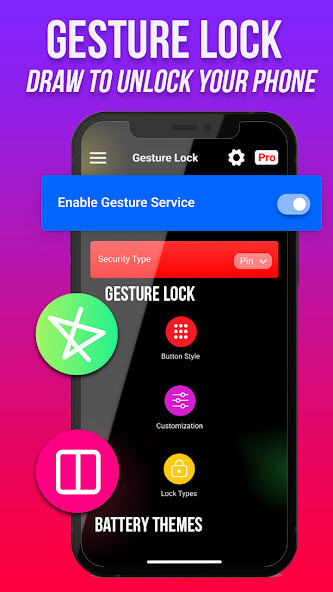
★ The gesture lock screen detects and matches every time the signature drawn on the lock screen with your signature created and saved by you as your lock screen password. You can draw and save anything like symbol of star, heart, triangle, square, circle etc, or you can draw any numerical number or make a signature of your as your password.

★ Presentation gesture (Display) App Lock for those who open their gesture silence preferred applications / them closing the boring password or any reason and for all those who want a certain creative application to close the application to start. With the finger gesture in a shortcut navigation (leafing) from one program to another pulling a gesture (movement) simply with a finger on your Android device.

★ You can pull and register (record) every gesture as the symbol of the star, heart, triangle, square, arched, etc., or you can use a number this one any digital technology or a subscription as a counter- password.


★★ Features of Gesture Lock Screen: ★★


✔ Use your saved gestures or signatures as your lock screen password.

✔ Enter recovery password or backup password to unlock (key lock) (gesture lock screen).

✔ Enter the password in the gesture lock screen to change gesture

✔ Edit Draw gesture on password (gesture lock screen).

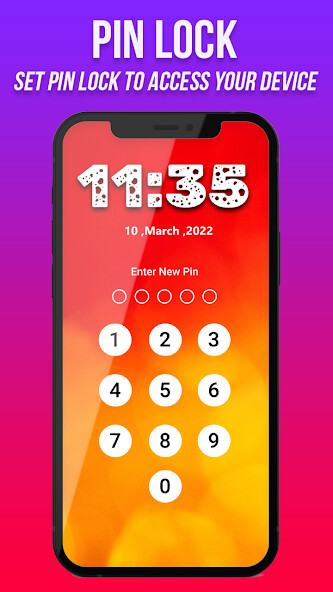
✔ Customize the recovery password (4 to 8 digit passwords) in the gesture lock screen.

✔ Launched its application in the new track by drawing gesture on the screen

✔ Show app notifications on lock screen: unread messages, missed calls, music player, alarm

✔ Lock Set Default or background from mobile gallery on your screen.

★★ How to use Gesture Lock Screen ★★

✔ Install gesture lock screen on your phone

✔ Create your gesture (signatures, shapes, letters or anything…) to unlock the phone.

✔ Enter your password (4 to 8 digit passwords) for security.

✔ master password for security purpose

★★ Gesture Lock Screen is an amazing application, it’s free. Download gesture lock screen and draw to unlock your phone.

★★ If you Like Our application gesture lock screen please rate it with 5 Stars.

Thank You.
Updates:
Gesture Lock Screen from UptoPlay.net
Page navigation: