


Free WiFi Call Phone
Free WiFi Call Phone
The official app & game
Distributed by UptoPlay
SCREENSHOTS
DESCRIPTION
Play this online game named Free WiFi Call Phone .
Free WiFi Call Phone is wificall,walkietalkie,entertainment,free,wifi,call,phone, content rating is Everyone (PEGI-3). This app is rated 5 by 1 users who are using this app. To know more about the company/developer, visit Devmazda website who developed it. com.wificall.walkietalkie.apk apps can be downloaded and installed on Android 2.3.x and higher Android devices. The Latest Version of 2.0 Available for download. Download the app using your favorite browser and click Install to install the application. Please note that we provide both basic and pure APK files and faster play online speeds than APK Mirror. This app APK has been downloaded 689+ times on store. You can also play online com.wificall.walkietalkie APK and run it with the popular Android Emulators.
You call another Android phone within a range of 99 meters using WiFi.

Two types are held : Wireless LAN Router and Wi-Fi Direct.

WiFi Direct is a feature found on any Android version or newer devices which launches

a direct Peer-to-Peer (P2P) connection between two devices without any intermediate access point.

This application allows short-range voice communication in the middle of nowhere.

How it works :

1) Wireless LAN Router

● Connect two phones via WiFi to the same LAN Router (access point)

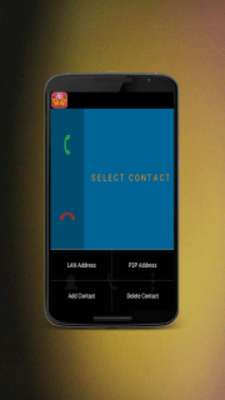
● Open WiFi Phone and click on LAN Address in option

If your LAN Address isn't showed here, you can find it by clicking on the LAN that

you're connected to at WiFi in Android Settings

Share this address with the other user that you want to call ,similar to a phone number.

And that need the other user's LAN Address to create a contact.

● Create a new contact and enter "Name" and LAN address.

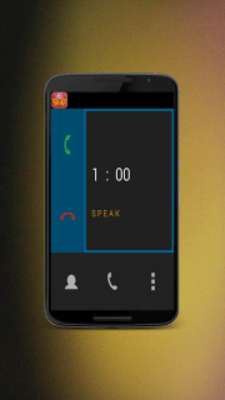
● Select contact and press call.

2) Wi-Fi Direct

● Connect two phones via WiFi Direct on WiFi Direct in Android setting

● Open WiFi Phone and click on [ Options -> P2P Address ]

Share this address with the other user that you want to call (similar to a phone number).

You will need the other user's P2P Address to create a contact.

● Create a new contact [ Options-> Add contact ] and enter "Name" and P2P Address.

● Select contact and press call.

This application should be running on both phones in order to send/receive calls.

The speaker volume could be adjusted using the hardware audio buttons.

Plug in headphones to turn off the loud speaker.

Free WiFi Call will NOT collect any of your personal data.
Updates:
- Several bug fixes and improvement
Free WiFi Call Phone from UptoPlay.net
Page navigation: