


Fast Video to Photo Converter

Fast Video to Photo Converter
The official app & game
Distributed by UptoPlay
SCREENSHOTS
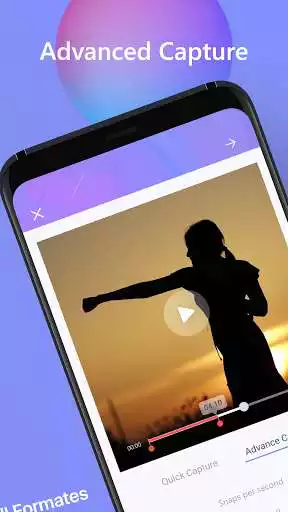
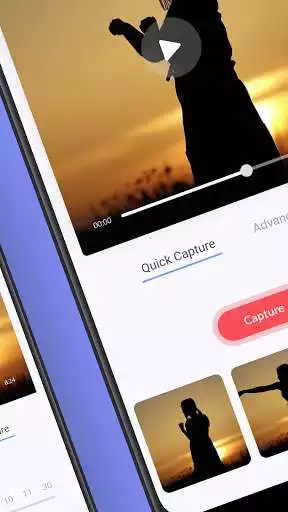
DESCRIPTION
Use UptoPlay to play online the game Fast Video to Photo Converter.
Forgot to take pictures at an event but have a video from that day? Dont worry, because Ezy Capture is at your service where you can convert video to images! Ezy capture is an fast video to photo converter that allows you to get Images out of a video. It captures images from a video by taking stills from the video while maintaining the quality and size of the picture similar to that of your original video. Our friendly and easy-to-use UI will help you save high quality and right-sized images from your video. We can say this app as
- Video to Frame Capture
- Video to Photo Converter
- Capture Images from Video
- Photo Capture from Video
This is free for all, however, you may need to buy some in-app tools to access our advanced features. The pictures will be saved in a folder in your gallery
How Video to Image Converter App Works?
At special events in life, like weddings or birthdays etc. you are surrounded by a lot of hustle-bustle and do not have the time to take the best photos. Dont worry as long as you have got a video from your special event. Our app will also save your time and effort. All you have to do is to record a video and enjoy your special day and Ezy Capture will convert video to images and take care of the rest.
Video to Image Converter works on four principles:
- Quick Capture
This is the most basic form of function and gives you what you see. You play the video and manually press the capture button at any time you want and the app simply captures the frame at that very instance. This gives you the exact image extractor you are looking for.
- Time Capture
This is a more advanced function and will be helpful if you need to capture multiple frames from a video. It allows you to select how many frames you want to capture and what intervals you want to capture them. You can select a video and set a timer (for example, a frame capture every 10 seconds). The app will automatically capture a frame at every 10 seconds of the video. All the pictures will then be added to a folder from which you can select what images you need to keep or delete.
- Easy mode and Advanced mode
This Feature is what makes this app more unique than other apps. Easy Mode Feature allows users to extract frames from videos automatically. Whereas Advanced Mode, this feature is one of the top advanced features of this app. Where users can manually extract images/frames from the video.
- Move to the gallery for any picture
This top feature allows users to save any picture directly into your gallery. So, you can easily access your picture without roaming around and looking for your desired picture.
Video to Image Converter App Main Features:
- User-friendly interface.
- Captures images from video. Videos can be from your mobile phone camera or downloaded from the internet.
- Enables a gallery view to allow you to decide on what photos to save.
- Allows editing of images such as rotation and cropping. Your video may have been taken from a different angle.
Bulk editing: You can rotate and delete multiple pictures at a time after you capture images from video.
Easy sharing with friends: Ezy Capture allows you to share your photos directly on social media websites.
Organise folders: You can create multiple folders for classified sorting of your photos
Support for the Dark Mode
Whats new
Ezy capture allows you to capture multiple frames. If you need multiple images from a video, you do not need to manually select each frame. You can simply select the Time Capture Mode, choose the duration between capturing intervals, for example, 5 seconds, 10 seconds and so on. The app will automatically capture frames from your video at your selected intervals.
Now you can convert your mp4 to gif or any other video to gif! EzyCapture now offers a GIF maker or a GIF creator that lets you turn your video into high-quality GIFs for free! Turn the best moments of your videos with a new GIF extractor and create fun GIFs to enjoy with your friends.
Enjoy with UptoPlay the online game Fast Video to Photo Converter.
ADDITIONAL INFORMATION
Developer: AppOrbitz
Genre: Video Players & Editors
App version: 1.39
App size: 40M
Recent changes: - Fixed bugs
Comments:
Ignore all of the fake 5-star reviews. Advanced mode does not work. Easy mode does not capture enough frames. Paid for pro version. No help.
took forever to load, then led me through a series of confusing steps with no clear directions. I only want to capture a single frame and save it as jpg or png whatever, so for this purpose the app is just too complex. For more intricate projects/goals, I'm sure it would be fine. It actually just crashed on me so ya, that happened too.
`Are these reviews real? Opened app - video was a tiny square in a sea of white space with a "Capture" button on bottom. That's it. Scrubbing for the timecode for said capture was interval of seconds - no fine tuning to get perfect moment. No way of even seeing what resolution pic is after saving. Unintuitive app. Plethora of other video capture apps to choose from...pass on this one for now- try another.`,I bought pro version bc ads were insane. then realized that when it captures frames it captures with huge gaps. So it is basically useless for action sequences. I was trying to capture my son jumping on his wakeboard. I used time capture at 30 fps. I got 10 identical images of his setup. 10 identical images in the air, and 10 identical images after he landed....so out of 30 I really only had 3 images.
UPDATE 09272021: WHY DO THE STILLS POST TO THE GALLERY OUT OF SEQUENCE ORDER FROM THE VIDEO? Made a FB 180 Pano with this app. No PC needed. Great.'
Page navigation: