


Digital Monster Watch Face
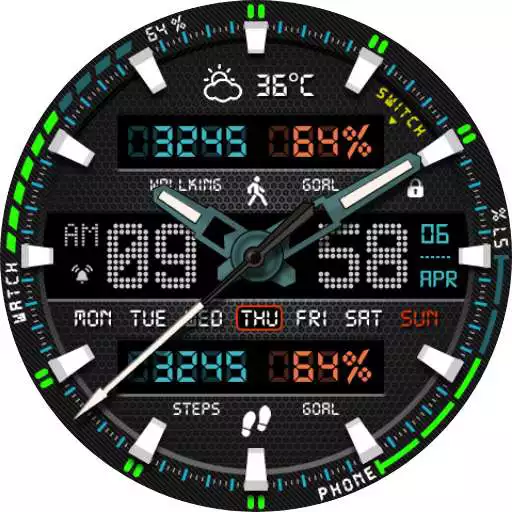
Digital Monster Watch Face
The official app & game
Distributed by UptoPlay
SCREENSHOTS
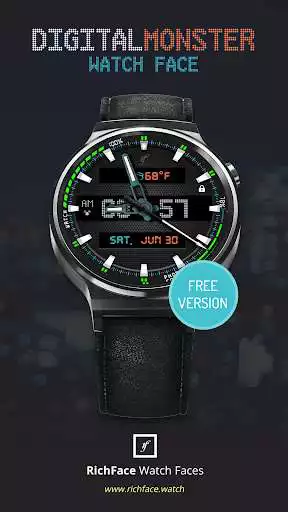
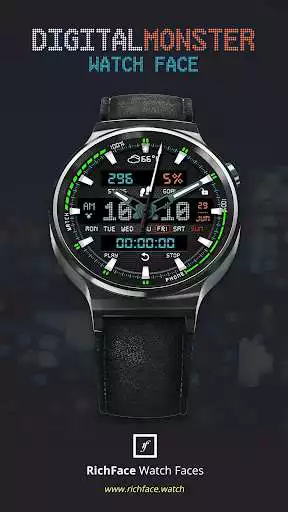
DESCRIPTION
Use UptoPlay to play online the game Digital Monster Watch Face.
Digital Monster Watch Face for Android Wear is true eye-catcher with digital characteristics and interactive functions.
Watch face contains a huge number and user friendly settings on the watch and the phone companion app.
The Android Wear 2.0 comes with external complication which this watch face supports completely.
Digital Monster Watch Face is fully Android Wear 2.0 supported
ANDROID WEAR 2.0 integration
Fully standalone! (iPhone and Android compatible)
External complication data for the indicators
Compatible with all Android Wear watches
Free version
Complications:
Phone battery
Watch batter
Options:
Change color
24 hour format
Translucent peek card
Small peek card
Leading zero
Smooth seconds
Screen time
NEW option for paid version
Vibrate on every hour
Paid version
Built-in complications
Steps
Distance
Walking
Running
Biking
Calories
Fit statistics
Stopwatch
Coffee counter
Water counter
Options:
External complications
Change color
24 hour format
Translucent peek card
Small peek card
Leading zero
Screen time
Forecast
Full ambient mode option
Change color preset on tap
Tap indicator
Google FIT integration
Weather settings (location, providers, frequency update, units)
FAQ
!! Please contact us if you have any trouble with the app !!
[email protected]
How do I install the watch face on Android Wear 2.0?
1. Install it from Google Play Wear Store on your watch.
2. Install the companion app for fully customization (Android phone devices).
How do I install the watch face on Android Wear 1.0?
1. After install run 'Re-sync app' from the Android Wear app.
2. Long press your watch and choose Digital Monster Watch Face as your watch face, or select the watch face using the Android Wear app.
PERMISSIONS Explained
http://www.richface.watch/privacy.php
Enjoy with UptoPlay the online game Digital Monster Watch Face.
ADDITIONAL INFORMATION
Developer: RichFace
Genre: Personalization
App version: Varies with device
App size: Varies with device
Recent changes: Updated version for Wear 3.0
Added beep sound on each hour
Fixed small UI issues
Comments:
I liked the watch face alot. Then, I had to change my google password. Now it won't connect to Google fit...it just sit there twirling away for hours on end....useless now!
Well this really needs an update. It still won't auto update, now several of the features have stopped working. The creator seems to be more interested in new watch faces than keeping the ones we paid for working. Fix it or stop making new watch faces.
I got charged two or three times, the faces install on my watch but you can't put them in as a watch face, the top it off, I bought the premium packages for the two or three phases and got charged on my bank account yet it says I don't have the premium package of wants me to pay for it again like I said I have yet to be able to get the watch faces off this app onto my watch if I get a refund I'll change this review but as of right now it's not looking like it
it's pretty but it crushes the battery on my ZTE LTE watch. None of my other watch faces do that. Uninstalling.
Very good app. Just takes time to set up which is too be expected.'
Page navigation: