


Crop Image - Rotate image and Flip image
Crop Image
The official app & game
Distributed by UptoPlay
SCREENSHOTS
DESCRIPTION
Use UptoPlay to play online the game Crop Image - Rotate image and Flip image.
Crop Images or photos.
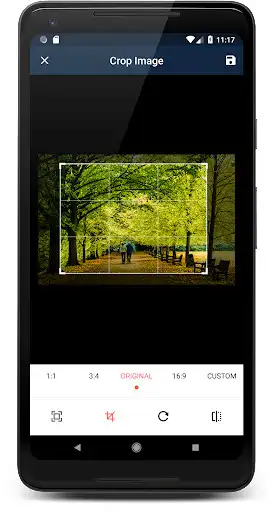
Crop Image App, is an easy to use application for cropping your photos.
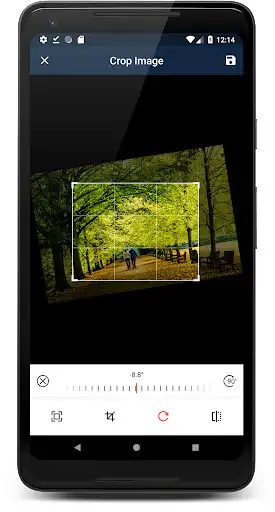
You can also rotate or flip images too.
Free scale cropping
You can enable or disable free scale cropping
Circular overlay
This feature dont crop photos in circular shape, but shows the overlay.
Aspect ratios
Crop images in different aspect ratios
Also crop in square shape
16:9 / 9:16
3:4 / 4:3
1:1
Custom Aspect Ratio
Share and delete cropped images from the app itself.
You can share the image direct from gallery.
Enjoy with UptoPlay the online game Crop Image - Rotate image and Flip image.
ADDITIONAL INFORMATION
Developer: Rectfy
Genre: Photography
App version: 1.9.2
App size: 2.7M
Recent changes: PRO pack to remove ads
Custom aspect ratio support
Crop images easier
Rotate and flip images
Crop images in different aspect ratios
Bug fixes
Comments:
I find the app useful except for two things which I would like to see improved, which is why I did not give it five stars. 1. After cropping the image, I would like to have an undo button before the image is saved. 2 After saving, when I return to the gallery to choose another picture to crop, I would like to be returned to the thumbnail page I was on instead of having to scroll down from the top every single time to choose the next photo. Thanks.
Does what it says... However, the app just simply stops cropping photos when you just want it to do so. At least after a certain amount of photos cropped, then it just doesn't crop anymore. 2 stars due to that bug of the app eventually being incapable of cropping any photos at all. If it's fixed, the rating will jump to 5 stars.
Best image cropper I've used! It allows you to pick a custom aspect ratio, and make sure your photos fit within it. Now, my photos make perfect wallpapers, with no black edging. One issue is, you have to zoom out after choosing the aspect ratio. Otherwise, it will crop more than necessary.
Terrible cannot rotate 90 degrees. When I click rotate 90 degrees the fence option does not flip also, terrible feature that should not be included with rotation. No button. No fence to turn. No option at all. At least make it easy to rotate 90 without fence ruining the photo. Just terrible develepors. No excuses. Full of ads that don't let you click anything takes up whole screen even the back and home buttons. 100% Terrible..
Update: From 5 to 1 Star. Since buying the app, it no longer opens any of my Google Photos images. Also, having already reviewed the app, I don't expect to be requested to do so continually. Previous:Simple but effective cropping tool that doesn't reduce resolution. I prefer it to others due to the fact that the custom crop option retains previous settings. I use it to simulate Hasselblads XPan 27:10 format. Well worth the 99p to support the developer."
Page navigation: