


CPS Test Pro

CPS Test Pro
The official app & game
Distributed by UptoPlay
SCREENSHOTS
DESCRIPTION
Use UptoPlay to play online the game CPS Test Pro.
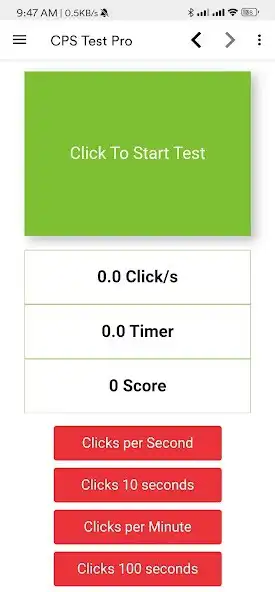
CPS Test Pro app helps you find out how fast can you click on your mobile. The app calculates your CPS score and shows it you after the test completes. It is the easiest way to practice fast clicking and increase your CPS.
How to Use CPS Test Pro app?
1. Click the green button to start the CPS test.
2. Keep clicking the button until the timer on the screen ends.
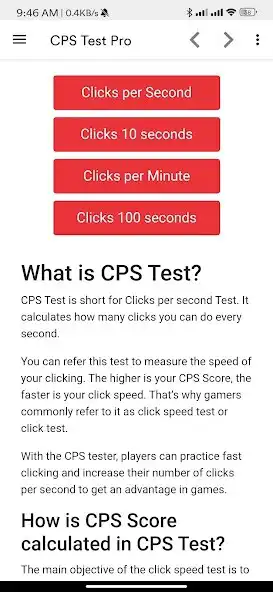
3. Choose the timer modes by clicking the red buttons at the bottom. By default, the timer is set at 5 seconds.
4. After the timer ends, the app shows your CPS score along with your speed rank.
5. Use the restart button to take the test again as many times you want.
Why use CPS Test?
* Calculates Clicks per Second accurately.
* Increase your clicking speed significantly.
* Improve your gaming skills and win more games.
* Challenge your friends to beat your score.
Features
* 100% Free App
* Less Data Consumption
* Lightweight App
* Regular Updates
Frequently Asked Questions
What is CPS?
CPS is the short form for clicks per second. It denotes the speed at which anyone can click a mouse button.
How to increase CPS?
CPS speed can be improved using advanced clicking methods such as butterfly clicking, jitter clicking, drag clicking etc. Practice more with the CPS Test Pro app.
What is good CPS?
A good gamer can click at about 12-14 CPS which is considered a very good CPS score.
Enjoy with UptoPlay the online game CPS Test Pro.
ADDITIONAL INFORMATION
Developer: Kenstem Technologies
Recent changes: * Official app of cpstest.pro
* New Score Ranking Added
* More Timer Modes Added
Page navigation: