


Computer Eye Cam
Computer Eye Cam
The official app & game
Distributed by UptoPlay
SCREENSHOTS
DESCRIPTION
Use UptoPlay to play online the game Computer Eye Cam.
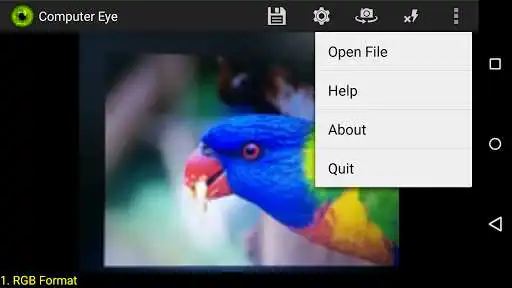
Ever wonder how a computer sees images and video? Then this app can help you experience the world through the eye of your mobile phone/tablet.
In addition you can also take cool pictures with nice effects!
The supported effects include:
Colour Transformations/Filters (RGB, Grey scale, Black and White, Red Vision, Blue Vision, Green Vision, Negative Colours, Heat Map)
Image Filters and Feature Extraction (Edge Detection, Image Gradients, Local Binary Pattern Features, Noisy Image)
Computer Vision (Skin Detection*, Motion Detection, Face Detection*, Side Car Detection, Front/Rear Car Detection*)
Motion Filters (Ghost Mode, Flash Mode)
* Work under good lighting conditions and in a short distance!
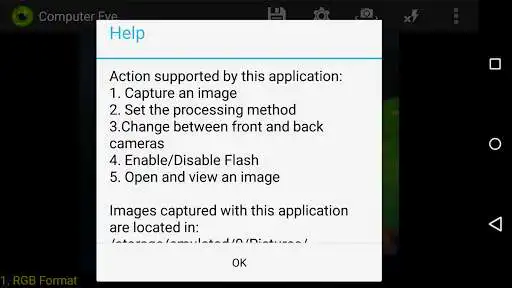
Actions supported by this application:
1. Capture an image or stream of images
2. Set the processing method
3.Change between front and back cameras
4. Enable/Disable Flash
5. Enable auto capture mode when object is detected (autosnap)
6. Open and view an image
Demo Videos:
http://youtube.com/watch?v=8ntheOChwlc
https://youtu.be/hiUuF52QHKU
***************************
All algorithms have been developed in C using JNI technology to achieve the best possible processing speed.
The Support Vector Machine (SVM) was used for classification with Center-Symetric (CS) Local Binary Pattern features.
***************************
Enjoy with UptoPlay the online game Computer Eye Cam.
ADDITIONAL INFORMATION
Developer: Christos Kyrkou
Genre: Photography
App version: 3.0
App size: 6.8M
Recent changes: Updates:
- Bug Fixes and Quality Improvements
- Added zoom support
- Added the AutoSnap feature. Now an image is captured automatically in any of the object detection modes when the presence of an object is detected (saved in the objects folder)
- Added the ability to save multiple streams (saved in streams folder)
- Whenever an image is saved an icon flashes on screen
- Stability Optimizations
Comments:
great utility in a small package
I downloaded this for the car detection. Smartphones are still much less powerful than PCs. How hard would it be to port this over to Windows? I think I would get reliable results with a high resolution camera and a fast PC. Think you could port it?
I'm in."
Page navigation: