


ClockChart Widget
ClockChart Widget
The official app & game
Distributed by UptoPlay
SCREENSHOTS
DESCRIPTION
Use UptoPlay to play online the game ClockChart Widget.
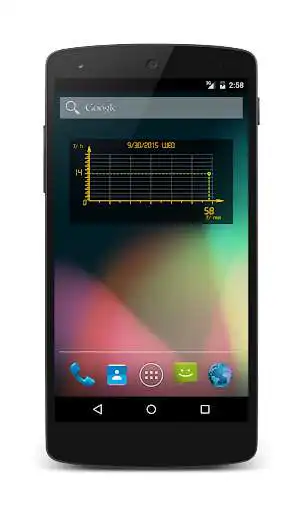
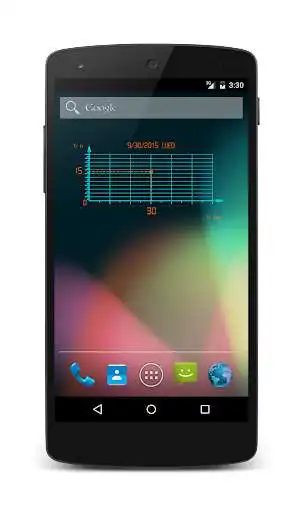
Design inspired by the diagrammatic representation of graph. Enjoy the inventive concept of first ever graphical clock wrapped with a simple yet elegant design.
Features served as follows by the clock:
- 24hr format.
- Displays the day of the week.
- Displays date of the year.
- Easy and fun to read time.
- Exceptional creative design making your device an exclusive display.
-NEW: 8 colorful themes.
-NEW: Adjustable opacity of the background.
Connect to drop any comment.
How to get to the settings screen?
Just add the new widget to your homescreen.
How to add the widget to your homescreen?
1. Go to the home screen (use the Home key).
2. Make sure that there is enough free space on your home screen for the new widget.
3. Choose an empty space for your widget, tap the space and hold your finger there until the menu appears. Alternatively, you can press the Menu button and then press the Add button that should now be available on the screen.
4. Both methods should have resulted in a pop-up menu-window labeled Add to Home screen. Tap the menu item labeled Widgets.
5. Navigate through the list of installed widgets and select the one you want to place on the home screen. You can scroll through the widgets if the list is too large to fit on the screen in its entirety.
6. Click on the selected widget and you will add it to your home screen.
7. Press the Home key. The new widget should appear on the home screen.
8. To relocate the widget, tap it and hold your finger down. Now you should be able to drag it to the location on the screen that you want.
www.talkandroid.com
Enjoy with UptoPlay the online game ClockChart Widget.
ADDITIONAL INFORMATION
Developer: Orange Innovations
Genre: Personalization
App version: 1.2.1
App size: 1.3M
Recent changes: -NEW: 8 colorful themes.
-NEW: Adjustable opacity of the background.
Comments:
Very great app, like it, can you make it so that you can change the date format. Thank you for the new update, how do you change the color on this app, I have try to see, but, cannot find out how to do it
Just the kind of update I was looking for in the app. It looks great now. :)
A subtle way to tell the time. It would be a five star if it had a few other skins and a 12 hr display option. Nice work!
I can't even open this app. Why is it so?? Not even showing any error.
Great Widget.'
Page navigation: