


Camera One
Camera One
The official app & game
Distributed by UptoPlay
SCREENSHOTS
DESCRIPTION
Play this online game named Camera One.
Features:• Buttons layout styles
• Camera: Rear or Front
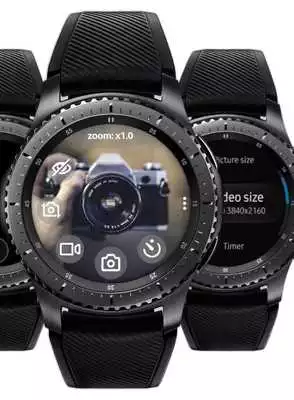
• Zoom, Flash, Exposure, WB, Filters, HDR (use bezel)
• Photo / Video sizes
• Timer: 2, 5, 10 secs
• Power saving mode
• Customizable action of Home button
• Save files on SD card
Works even when the phone screen is off!
All settings are available on your smart-watch.
How to change Zoom, Flash, Exposure, WB, Filters, HDR:
Tap on the top of the screen where is written ‘Zoom: x1.0' to change the bezel mode: Zoom > Flash > Exposure > WB > Filter > ...
Then rotate the bezel to select the value.
For flash: rotate the bezel to select the flash mode: auto / on / off / torch
Compatible with:
• Samsung Galaxy Watch
• Samsung Galaxy Watch Active
• Samsung Galaxy Watch Active 2
• Samsung Gear S3 Frontier
• Samsung Gear S3 Classic
• Samsung Gear Sport
• Samsung Gear S2
Updates:
Please email me at [email protected], what you would like to see in future releases.• Time-lapse video for some phone models (speed: x4).
Please check the 'Video size' list in the app settings on your smart-watch.
Note: do this https://bit.ly/2TQ5EoQ for a stable connection of Camera One with your phone.
Please rate this app in 5 stars if you like what I do.
P.S. Thank you for choosing my app and... Enjoy)
Camera One from UptoPlay.net
Page navigation: