


AppRadio
AppRadio
The official app & game
Distributed by UptoPlay
SCREENSHOTS
DESCRIPTION
Use UptoPlay to play online the game AppRadio.
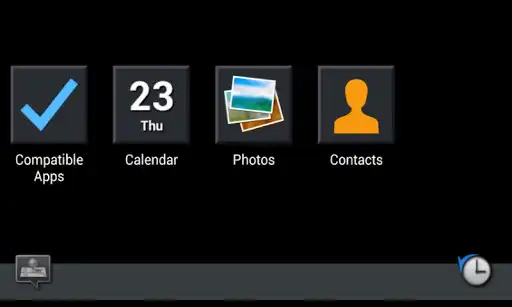
Turn your car into a connected car with a compatible Pioneer in-dash multimedia receiver, a compatible Android smartphone, and this AppRadio app. With your Android device connected, you will be able to discover and install compatible Apps that are optimized for in-car use. You will be able to listen, view and control them directly from the large Pioneer touchscreen interface installed in your dashboard.
For Pioneer products featuring AppRadio One or AppRadio Mode +
How to connect
Connection is made through a single USB cable, you can use the Pioneer CD-MU200 USB to micro USB cable or the USB cable that comes with your phone.
Compatibility
Depending on the Android phone you use, AppRadio One may not function well in its default setting.
Please change the AppRadioMode Sound System setting of your Pioneer product when you experience sound or image instability. Smartphone sound will then be played through your phone speaker instead of the AVH Car audio speakers, improving stability.
For some popular phones, the stable product setting is suggested below. The selection can only be made after you update your Pioneer product. The new firmware and instructions are available on your local Pioneer website.
AVH speakers/DefaultSmartphone speaker
Google Nexus 5Asus ZenFone 5
Google Nexus 5XGoogle Nexus 6
Google Nexus 6P
LG G Flex2Optimus G Pro
LG G3HTC One M8
LG G5HTC One M9
Motorola Moto G1stOnePlus One
Motorola Moto G2nd
Motorola Moto X2nd
Samsung Galaxy AlphaGalaxy Note3
Samsung Galaxy S4 miniGalaxy Note4
Samsung Galaxy S6Galaxy S4
Samsung Note EdgeGalaxy S5
Samsung Galaxy Note 5Galaxy S7
Galaxy S6 edge
Sony Xperia Z5 CompactXperia Z3+/Z4
* Connection may not succeed if smartphone battery level is low
Products
- '15 DVD Receivers featuring AppRadio One:
AVH-X1700S/X2700BS/X3700BHS/X4700BS/X5700BHS/X6700DVD/X7700BT
- '16 DVD Receivers featuring AppRadio One:
AVH-X1800S/X2800BS/X3800BHS/X390BS/X391BHS/X4800BS/X490BS/X491BHS/X5800BHS/X6800DVD/X7800BT
- '17 DVD Receivers featuring AppRadio Mode +
AVH-500EX/501EX/600EX/601EX, MVH-1400NEX/2300NEX, AVH-1300NEX/1330NEX/2300NEX/2330NEX/3300NEX
For Pioneer products featuring AppRadio Mode via HDMI
How to connect
Connection is made through HDMI and Bluetooth. Please use the HDMI adapter that your phone vendor recommends. If your phone supports MHL to HDMI adapters and is not of the Samsung brand, you can use our Pioneer CD-AH200 adapter.
Compatibility
A smartphone with HDMI video output is required.
* Screen flicker can be avoided by turning off hardware overlays in the developer options of your phone (Settings About Device tap Build Number several times)
Products
- AppRadio SPH-DA100/DA110/DA210/DA120
- DVD Receivers AVH-X8500BHS/4000NEX/4100NEX/4200NEX
- Navigation Receivers AVIC-X850BT/X950BH/Z150BH/5000NEX/5100NEX/5200NEX/6000NEX/6100NEX/6200NEX/7000NEX/7100NEX/7200NEX/8000NEX/8100NEX/8200NEX
Software End User License Agreement
http://www.avicfeeds.com/avicfeeds/AppRadio2/license/EULA_US.html
Enjoy with UptoPlay the online game AppRadio.
ADDITIONAL INFORMATION
Developer: PIONEER CORPORATION
Genre: Maps & Navigation
App version: 2.8.11
App size: 7.8M
Recent changes: ・ Fixed minor issues
Comments:
AppRadio is completely worthless and utterly useless. This app is a nuisance and pops up every time I connect my phone to the stereo. Even after deleting it I'm still pestered with a prompt to reinstall it. It's almost like it was designed in 1990 and is not compatible with anything modern. Totally disappointed in Pioneer's decision to use this as it's program.
This app is absolutely pointless. it has to be plugged up through the USB cable and It can't be ran in the background for most devices, and it just mirrors whats on the screen. so when I press the button to lock my phone it disappears from the in-Dash screen also. for all that I could use my phone instead of having the same thing displayed on another screen. I figure it would connect through bluetooth then I can put my phone down and solely control the features it have from the Dash.
Worst app I've ever seen, not intuitive, bugs me all the time now that I've deleted it, to reinstall it. It is the only app you can use With the Pioneer radio. Back to using bluetooth to radio and my phone for GPS. Samsung Galaxy Note 8, so not an old phone. Andriod Auto is much better. it doesn't broadcast to the radio screen, but does all of the rest and is much better without all the hassle.
Worthless. There are no words to describe how bad this app is. Almost none of the functionality works. Spotify manages to connect one out of about 10 times. If you plug in your phone app radio blocks all your other screen apps. It's just so absolutely poorly designed and clear that it's a dead product as Pioneer moves towards other Android connectivity for cars. I like my stereo but will never buy another Pioneer unit because of their awful mobile technology applications.
I can't get text messages to work consistently. For a while it would read messages to me and I could voice reply. Now it does the sit and spin routine. Music works, but sometimes crashes mid song and I wind up having to reboot my phone. Navigation has been solid. I hope they fix these quirks."
Page navigation: