


App Freezer

App Freezer
The official app & game
Distributed by UptoPlay
SCREENSHOTS
DESCRIPTION
Use UptoPlay to play online the game App Freezer.
Without Root Permission, Help you freeze your Apps & Speeding up your phone.
Your android has Becomes laggy?
Your battery has started draining quicker than ever?
Your phone overheats and needs to cool down?
App Freezer is the speed booster you need! Change your device's speed from to . App Freezer can smart clean background processes, stop stealthy running apps and boost phone performance.
This app does not collect any data , your privacy is safe
This app doesn't have read and write external storage permission.
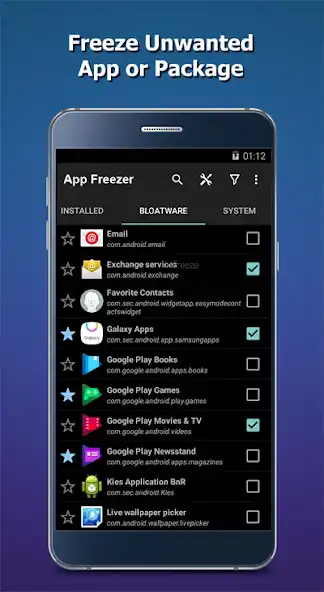
Freeze One: To freeze an application you want, just click it in the list.
Freeze All: To freeze all application, just click the circular button in the bottom right corner.
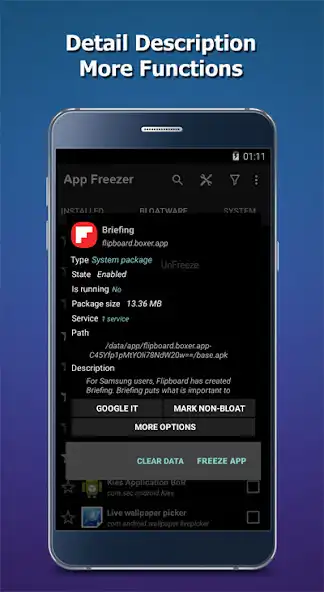
Defrost App: If you want to use the app again, you can defrost it. Just Run it in your default launcher,The App will defrost.
This app uses Accessibility services
This app is a great automated solution for users with physical disabilities and muscle fatigue, who struggle while interacting with the screen, especially when doing repetitive complicated tasks such as force closing many apps one by one.
This app automates one of the most repeating task with the user-interface , the task of "force closing running apps" ! and It does so, by closing all the apps, one by one in an automated way, and hence helps disabled users avoid to manually close each app in the system settings.
The Android robot is reproduced or modified from work created and shared by Google and used according to terms described in theCreative Commons3.0 Attribution License.
Permissions
This application requires internet permission only for displaying banner ads.
This app requires the permission to draw above the other apps in order to be able to show the wait screen while closing apps and background process.
This app requires the accessibility service permission in order to be able to close other apps.
This app will be able to retrieve the active window content in order to find the button which forces closing an app in the system settings, then emulate a click action.
This app will be able to observe the actions related to the interface in order to guide the process of automating the task of closing apps , by monitoring the transition between windows during the emulation of interaction with the interface.
Enjoy with UptoPlay the online game App Freezer.
ADDITIONAL INFORMATION
Developer: Real Zhang
Genre: Tools
App version: 8.0
App size: 3.7M
Recent changes: Optimize application
Comments:
I was hoping to find a way to freeze Google apps, but did not see them as available to disable/freeze, even though some system apps could be frozen. I was able to find another app that does this, so all is good. Interface is clean and friendly; could do without being nagged for a rating after completing each task...
invasive. required reboot to regain control of launcher. freezes apps it decides instead of what you choose and forces you to watch ads to get them back. you can unfreeze by launching the app but what about apps you depend on to run in the background and rarely interact with like dropbox or gps trackers for security or accountability?
Every time that I tap an App to freeze, an interface comes up showing a progress circle. When the circle fills up, the program takes me to the App's property page where I have to manually stop the process, and then I have to hit the back button to get back to App Freezer where I am greeted with a message asking if I like the App. How am I supposed to know if I like the app in less than a minute using it? After 3 repeats I uninstalled. The App did act as a sort of shortcut, so I give it 2 stars.
I wasn't convinced the freezing or thawing was really happening. So I forced close an app I did not manually freeze, and it then showed up in the freeze list. I am now lead to believe this app doesn't freeze, but rather forces close. The problem arises that if threads are relaunched, they run successfully because they were technically never frozen. The part about honoring my personal data now worries me, because the part about freezing doesn't appear to be true. I feel better to uninstall.
Recently took away the microphone & sound recorder options from this, which could be frozen. For that reason alone, I've revised down a star from the four I would have once given it. Edit: Revising down to one star, since they REFUSE to bring back the microphone & sound recorder option. I don't trust my phone, and won't trust a developer that gave me a chance to freeze suspicious activity on my phone (the mic, your phone is always listening), the takes that ability away for NO GOOD REASON..."
Page navigation: