


Always on Screen
Always on Screen
The official app & game
Distributed by UptoPlay
SCREENSHOTS
DESCRIPTION
Use UptoPlay to play online the game Always on Screen.
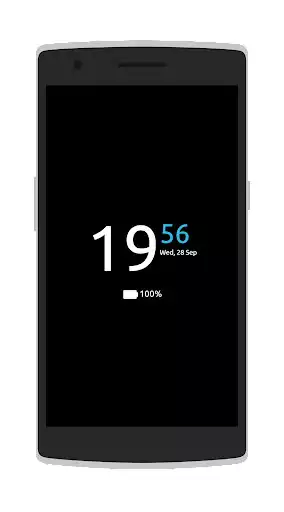
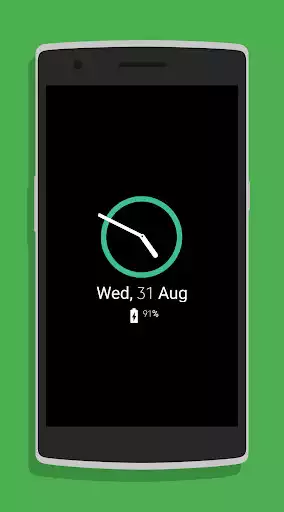
This application keeps your screen always on, or allows you to activate it by wave your hand over the proximity sensor. This way, you can check the time, date and your notifications whenever you want.
FEATURES:
CUSTOMIZATION
Double tap to unlock the phone
Display notifications
Choose apps that we can see notifications
Different clocks
Different calendars
Different fonts
Resize almost all elements of the "Always On Screen"
Show battery percentage
Choose which information you can see
Auto move to avoid AMOLED displays burn in
Pocket mode
Auto disable the app depending on the battery percentage
Gestures
Stop the app and unlock the phone with the fingerprint
Timeout to turn off AOS
Proximity wake
CUSTOMIZATION
This app uses the Device Administrator permission - To lock the phone when the screen goes off by itself
Enjoy with UptoPlay the online game Always on Screen.
ADDITIONAL INFORMATION
Developer: FayaX
Genre: Tools
App version: 3.6
App size: 3.2M
Recent changes: General bug fixes
Improved system stability
Fixed proximity sensor
Fixed brightness
Comments:
Just installed and played with it a bit. It's decent so far, and I'll come back to change my review after a week of having it. The pros so far : it works - have tried several other apps like this and they all had issues that I couldn't overcome. So far this one seems to do what it says. The cons so far : is heavy with he ads and requests for donations. If this app continues to function as it should then I'll buy it outright hoping the constant pestering goes away.
The app is good and easy to use. However there is a couple of things that needs to be improved. The screen saver is very irritating. It says it will change position every 30 secs but it jumps around every second! Please rectify that. Secondlyn It drains the battery quite a bit. Please find a solution for it.
Very good. Works exactly as you'd imagine. It actually feels like an always on display instead of just an app thatboots up when you lock your phone. Works flawlessly with fingerprint unlock and has loads of customization. It also lets you turn off the screen when you out it in your pocket to dave battery.
Hi, I don't want the clock to move around the screen. I also put the option off but it's still moving around the screen. Please help me. I have just installed the app today and am really loving it. I will give it 5 stars once I succeed in turning the clock off from moving around the screen. Waiting for your response
The app is good but needs a little more work. The clock does not move every 30 secs, it moves every second or two and sometimes faster. Have yet to see how battery life goes.'
Page navigation: