


3D Digital Weather Clock

3D Digital Weather Clock
The official app & game
Distributed by UptoPlay
SCREENSHOTS
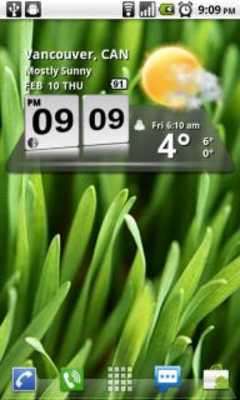
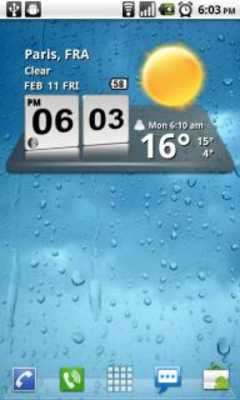
DESCRIPTION
Play this online game named 3D Digital Weather Clock .
3D Digital Weather Clock is factory,widgets,threeddigitalweatherclock,weather,digital,clock, content rating is Everyone (PEGI-3). This app is rated 3 by 7 users who are using this app. To know more about the company/developer, visit Factory Widgets website who developed it. factory.widgets.ThreeDDigitalWeatherClock.apk apps can be downloaded and installed on Android 2.3.x and higher Android devices. The Latest Version of 4.2.4 Available for download. Download the app using your favorite browser and click Install to install the application. Please note that we provide both basic and pure APK files and faster play online speeds than APK Mirror. This app APK has been downloaded 127812+ times on store. You can also play online factory.widgets.ThreeDDigitalWeatherClock APK and run it with the popular Android Emulators.
A 3D Digital Weather Clock widget with size 4x2

It features:

* 12/24 hour clock

* Color choice on some info displayed

* System Stats Information pop-up

* Battery icon on clock

* Week number in the hours tab, as an option

* for scheduling outdoor activities - Sunrise /Sunset times in the forecast screen,as an option in the configuration screen.

* for scheduling outdoor activities - Day length and hours left in the forecast screen,as an option in the configuration screen.

* Weather information with icon, current temperature and high low temperature for the day on the clock face.

* Detailed 4 day weather forecast screen with forecast temperature,high low temperature and condition description for each day.

* 2 Forecast layouts

Features the following hotspots:

 tap bottom right->back to configuration screen

 tap bottom left->Launch system information window

 tap on weather icon->Launch weather forecast screen

 tap Hour->launch anything!(set your own preference from configuration screen)

 tap Min ->launch anything!(set your own preference from configuration screen)

Widgets on Android work a bit differently than a normal application. Unlike regular programs they don't just install themselves in the application tray so you have to add them manually. They will not open or launch.

Here's how to add a widget on your Android home screen.

STEPS HOW TO ADD A WIDGET

==========================

1.On your Android home screen, tap any blank or “empty” area with size 4x2 and hold down your finger.

2.An “Add to Home screen” window will pop up. From that window, tap “Widgets”.

3.You’ll be presented with a list of all the installed Widgets on your Android device.

4.Select the "3D Digital Weather Clock” to add to your home screen by tapping it.

Notes

=====

"Time frozen/not updating"-> taskiller killed the clock(exclude it from taskillers)

When phone starts, clock starts in less than a min too.

ROM users-> make sure the clock is NOT moved on SD card.

Widgets are not supposed to be on SD card. Move it back to the phone storage.

Weather hint: For world destinations with two words in the name, type in the box the words with a plus sign.

For example "Buenos Aires" type "Buenos+Aires",remember the "+" sign -no spaces, don't include the quotes.

Email problems/suggestions

Check our website for more help.

EXCLUDE IT FROM TASKILLERS!!!

Be polite, this is a free app :-)

VIDEO HOW TO ADD WIDGETS

http://www.youtube.com/watch?v=DpMLF9b2aTQ
Updates:
- 4.2.4
weather fixes
4.2
* support for more devices
* updated code with many improvements
* bug-fixes
* faster
! ->Please remove and add widget again <- !
4.1
-more fixes for weather on low end devices
4.0
-fixed weather location problems
+added moon phases in the forecast screen. (requested) Launch by pressing the moon
icon for detailed views on moon-phases for the current day, current month and the years half
and full phases.
+other improvements
3D Digital Weather Clock from UptoPlay.net
Page navigation: