


Studious

Studious
The official app & game
Distributed by UptoPlay
SCREENSHOTS
DESCRIPTION
Use UptoPlay to play online the game Studious.
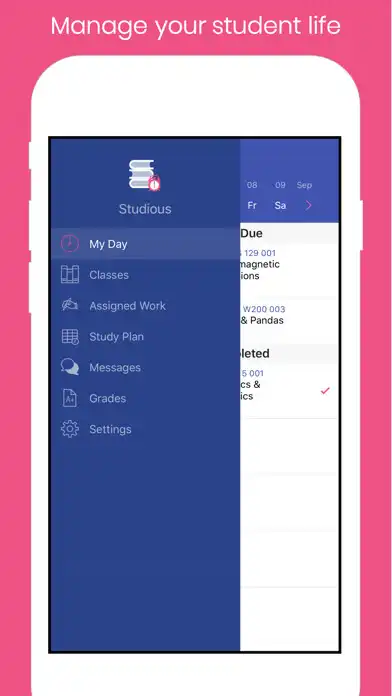
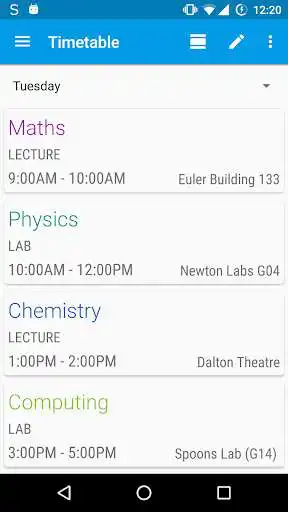
An elegant yet minimal and lightweight app to organise your study schedule. Studious ensures you never lose track of homework or exams, and keeps you punctual for your classes with a beautifully designed timetable viewer.
To get started with Studious, add your subjects first through the 'Subjects' option in the menu. That's it! Then you're free to edit your timetable, homework and exams as you wish.
A brief overview of the permissions:
* Vibrate - exam, homework notifications
* Read / write external storage - for backing up / restoring timetable
* Internet, access network state, billing - ads and ad removal
* Receive boot completed - timetable, exam, homework notifications
Enjoy with UptoPlay the online game Studious.
ADDITIONAL INFORMATION
Developer: Leslie Lay
Genre: Productivity
App version: Varies with device
App size: Varies with device
Recent changes: - Brand new icon!
- You can now view class type and location in the grid timetable
- Class locations will autofill based on previously entered locations
- Expanded notifications for homework and exams
- Save to .png and saving backups has been fixed
- Other miscellaneous performance improvements
A big sorry to anyone still on Ice Cream Sandwich :( Devices with Android versions 4.1.x and below will no longer receive Studious updates.
Comments:
It's a nice app to maintain your whole timetable with simple yet elegant user interface. However, the app is a very basic one & many more features could be added to it, like widgets, option for Teacher's name, provision for alarm or reminder, etc.
I think is suggest for this app must create a schedule widget in phone, so make this app very useful
Can there be an 'Attendance option
to keep track of attendance:in a subject wise manner?The Sunday is Sunday in our country, not Monday like on app. Give us to choose which day to start the week. Thanks.
It's awesome for students of school age"
Page navigation: