


Screenshot Easy

Screenshot Easy
The official app & game
Distributed by UptoPlay
SCREENSHOTS
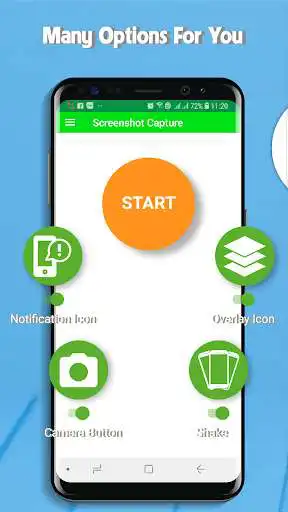
DESCRIPTION
Use UptoPlay to play online the game Screenshot Easy.
Quick Capture Screenshot Easy is a free, easy-to-use, no rooting required screenshot & photo markup tool. With Quick Capture Screenshot Easy, you can capture screen by touching the floating button, notification, camera button or shaking device, lets you take screenshots on your tablet, phone or other Android device the easy way!
Quick Capture Screenshot Easy also provides a variety of annotation features such as crop, rotate, add text, painting, draw arrow, circle and more. Lets you easily edit and markup your screenshots and you also can share it with your friends quickly!
Quick Capture Screenshot Easy has functions:
Share Screenshots
One touch on floating button, notification, camera button or shaking device to take screenshot
Set the path to save the screenshot
Screenshot display, you can decide to save or discard screenshots
Trim the captured screenshots
Painting on the screenshot
Add text
Browse and edit all history screenshots
How to take screenshot ?
This application provides many easy method to take screenshot without physical button, so you can take screenshot even while physical button is damaged
Floating button: An simple button that is displayed on top of everything, just one-click to take a screenshot
Shaking device: Shaking your device to take a screenshot
Notificaton : Drag down status bar, then click on notification to take a screenshot.
Camera button: Click on camera button to take a screenshot (if your device have camera button)
Note:Quick Capture Screenshot Easy App is only available for devices running android 5.0 or above.
If you have any comments or suggestions on Quick Capture Screenshot Easy, please contact us at [email protected]. We appreciate your feedback!
Enjoy with UptoPlay the online game Screenshot Easy.
ADDITIONAL INFORMATION
Developer: SmartMobile Game
Genre: Tools
App version: 8.4
App size: 10M
Recent changes: - Fix bug
- Improve speed capture
- Optimal some other feature
Comments:
Love the simplicity of this screenshot app. Absolutely so easy for beginners to learn how to use. I'd be the first to give you More Stars anytime!
My phone's home button doesn't work so I can't screen shot. This is helpful for that reason, also for things like Snapchat or Instagram, it doesn't tell the person you screen shot the image, so you can be sneaky, although you can't hold down on the screen and click the button, which is upsetting, if they would make it that way where you can be clicking the screen and still be able to press the button with another finger, then it would be a 5 star.
It doesn't take much space it's easy to use, and hasn't frozen on me yet, and it simply does what I need it to do: take screenshots. The power button on my phone is broken, so I can't take regular screenshots, so finding an app like this was a relief. The one downside is that it doesn't get along with my blue light filter, and while it'll click it won't actually take a screenshot.
Well, I would give this 5 stars. But heres the problem: The app at first was great. The power button on my tablet does not work very well anymore, and this helped a lot if I wanted to screenshot something important. But then a few days later the app just stopped working, as in the button and notification where I take screenshots just disappeared. Another thing is whenever I could take screenshots, I would have to restart the whole app just to edit a screenshot. Last thing couldn' write cus space
I really like your app, thank you it makes studying easier. Especially when I am in the middle of one subject and I come across something in regards to another that catches my eye i just use quick capture so i can and I have it on file. It helps so much. I would recommend this app to everyone, it is so convenient and easy to use.'
Page navigation: