


RSC Viewer
RSC Viewer
The official app & game
Distributed by UptoPlay
SCREENSHOTS
DESCRIPTION
Use UptoPlay to play online the game RSC Viewer.
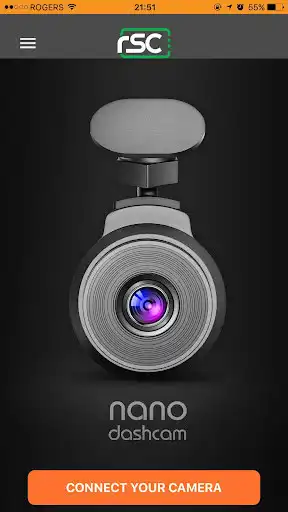
Manage and access to your RSC Dashcam on the go with the RSC Viewer.
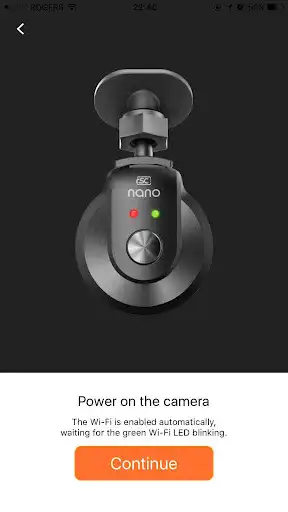
Simply connect your smart device to the dashcam's Wi-Fi, this Viewer app provides access to recorded videos, live viewfinder, and also adjust various settings on your RSC Dashcam.
FEATURES :
Control and manage of your RSC Dashcam via Wi-Fi.
Download, stream, and manage videos recorded by Dashcam on your phone.
Configure various settings (e.g. G-Senor Sensitivity, Recording Time, Wi-Fi settings, etc.) of your Dashcam.
Live Viewer-finder mode for live streaming your dashcam's current view on your phone.
* For further support or assistance with this app, please contact [email protected].
Enjoy with UptoPlay the online game RSC Viewer.
ADDITIONAL INFORMATION
Developer: RSC Labs
Genre: Productivity
App version: 2.3.8
App size: 7.7M
Recent changes: Bug Fixes:
* Compatibility with RSC tama
* App coding optimizations
Added:
* VPN Mode to enable mobile internet while connected to Dashcam's Wi-Fi
* Revamped navigation in Video Library
* Added video thumbnails with additional details
* New setting options for cameras running newer firmwares
Comments:
Own/owned many a dash cams but this is the first WiFi capable cam I've owned. Been using for several months and must say, it is very convenient, and works pretty darn well on multiple devices (Android/iOS), rarely an issues connecting. Comes in very handing when one need access to a clip while on the go. Latency isn't bad either being what I would expect.
Great video quality but nightmare to get connected to app. I finally figured out how to get it to work on Android. I had to turn off my data and WiFi smart connect settings. Make sure location is on too. I googled the solution and I finally found it. It was not directly related to the Nano cam I have but it worked.
Horrible! Videos lock for no reason and can't be unlocked or deleted. Tried inverting video which says setting success but then playback still upside down. Starts recording as soon as wifi connects to smartphone then you have to stop all recording to see saved files and/or access settings. Can't adjust date stamp via settings. Again I state Horrible!
Trash. This thing does not work. The phone is connected to the camera via Wi-Fi but the app just doesn't recognize that. Go ahead and buy this product if you have the patience to uninstall and reinstall the app every time you want to connect to the camera.
I installed 3 different memory cards that were all high end and were all formatted to ensure they would be compatible. I updated the firmware and then tried to upload it to the device but it got stuck.'
Page navigation: