


Readot - Copy Text to Read iT
Readot
The official app & game
Distributed by UptoPlay
SCREENSHOTS
DESCRIPTION
Use UptoPlay to play online the game Readot - Copy Text to Read iT.
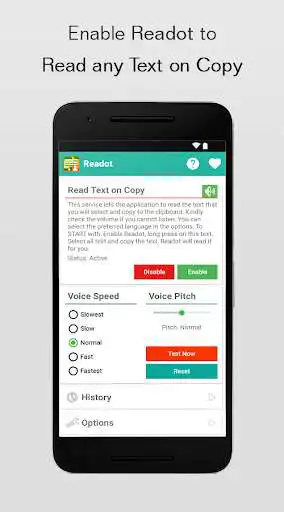
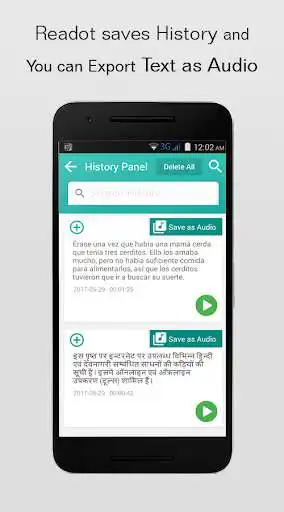
Readot - The Reading Robot helps you to automate the task of reading textual contents. Enabling this service is very easy and useful if you don't want to read and strain your eyes. Readot comes to the rescue of automating reading task for you. It supports multiple languages. The history of copied texts will be maintained for future reference or to listen again. You can also share the copied text to others from the history. The app provides you handy feature of adjusting the voice speed (Speech rate) and voice pitch (Vocal frequency). The app is also useful for Dyslexia Patients. You can also save the text from history as audio file!
How to use Readot?
- Enable Readot service in the Readot control panel
- Feel free to go to any application
- Simply copy the text that you prefer
- Sit back and RELAX. Readot will read the text for you
FAQ:
1. Is Readot free?
Ans: Yes Readot is absolutely free and always will be.
2. I cannot listen to anything!
Ans: Ensure the phone volume is up
3. Phone's volume is up but still cannot listen to anything!
Ans: Ensure you have selected proper language in the 'Options' and also ensure if any TTS (Text To Speech) application is installed or enabled (Recommended: Google Text-to-speech).
4. Readot works offline?
Ans: Yes, Readot works offline. However you need Internet to play online the languages if your phone doesn't contain it.
Note: Our App requires TTS engine installed in the phone (Usually it will be preinstalled in most of the android phones).
Enjoy with UptoPlay the online game Readot - Copy Text to Read iT.
ADDITIONAL INFORMATION
Developer: Dream Beez
Genre: Lifestyle
App version: 1.0
App size: 1.6M
Recent changes: - Reads text on copy from any application
- Supports multiple languages
- History option is given to check with previously copied text
- You can search history items
- You can share the copied texts with your friends from history
- Ability to stop the voice/ speech in the middle
- Ability to change the speed of the voice
- Ability to change the pitch of the voice
- Added new feature to save the text from history as Audio file (.wav) with notification - Hence new permission to save file is added
Comments:
This is exactly what I was looking for! My only critique would be that the TTS engine needs a little tweaking for things like LOL and some names. Otherwise an excellent effort!
I love this app help me with understanding on whole lot of documents I wasn't able to before thank you
Easy to use, just highlight anything and hit copy, and it gets read out loud.
I think this is absolutely brilliant it's good for me with being dyslexic. I just wish they had something that would read text from images as well just as easy as you can just copy and it will tell you what it says so cool doesn't work on everything but it's the start thank you
Page navigation: