


Palette - Extract Real/Live colors from any photo

Palette
The official app & game
Distributed by UptoPlay
SCREENSHOTS
DESCRIPTION
Use UptoPlay to play online the game Palette - Extract Real/Live colors from any photo.
Palette, Color Palette, Palette Generator, Color Palette Generator
#1 Color Palette Generator for any photo/image.
100k Downloads & Counting..
Thank you for your good reviews and support!
Palette can extract all prominent colors from any photo/image. It shows color palette including hex codes and populations. You can use colors as you want. You can save or share color palette together with image.
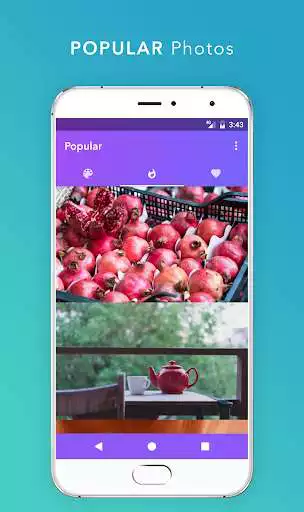
Palette uses new photos from website Unsplash. You can select them too from Popular Photos screen.
Features:
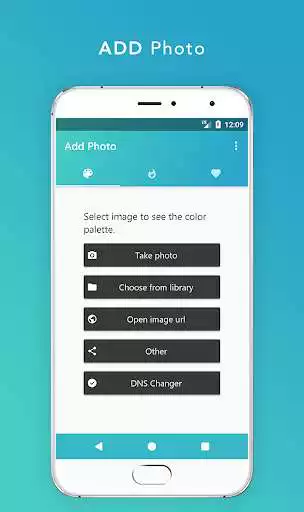
Add Photo by taking a new photo or selecting from library.
Add Photo from a link/url.
Add Photo by sharing image or its url from other apps.
Simply you can add photo in any way you want, we got covered all.
See the color palette of photo.
See Hex code and population of every prominent color in the photo.
Popular Photos
Favourite Photos
Favourite Colors : You can save your favourite colors in app.
Favourite Palettes: You can save your favourite palettes in app.
Share any image over other apps.
Save and Share color palette together with image.
Simple and Elegant Material Design.
Palette will be improved in every version according to your suggestions.
Only 3MB app size.
Enjoy with UptoPlay the online game Palette - Extract Real/Live colors from any photo.
ADDITIONAL INFORMATION
Developer: PixelPerfect Apps
Genre: Personalization
App version: 1.12.1
App size: 5.7M
Recent changes: Palette v1.12.1 (UPDATE NOW!)
- Faster, Stronger and Better!
Comments:
Truly great capture, limited app functionality. Perfectly captures an accurate and generous pallet from photographs -- very impressed. However, I find no way to edit the palette. E.g., if I want to reduce a 28-color extraction (I said it's generous!) to, say, 14 colors, and then export or save as a palette in app, I can't. You can extract HEX codes, but you'll need a second app to trim down/arrange colors for your designs, or convert to CMYK, HSL, etc. Still, VERY high hopes for this app!
It's great when I have to pull colors from an image. but I've had this app for a week and it's started to crash and not let me save any more pallets as I tend to save them for my own drawings
So far works pretty well only 1 real complaint and thats the pallet water mark and icon in the top left corner I dont mind spending money to support great work but tell me does removing ads also remove the watermark and if not can you add a way to do that it kinda gets in the way of the photo and doesn't look very professional other wise pretty good stuff hope to hear from yall
I've enjoyed using this app for discovering and playing around with new color palettes for my paintings. The only thing I wish it had was the ability to cut down the colors in order to make your own smaller palettes.
Just started using and like the accuracy of color choices based on my pics. Still trying to figure out how to navigate and create a swatch with all my favorites.'
Page navigation: