


Lot Shopper
Lot Shopper
The official app & game
Distributed by UptoPlay
SCREENSHOTS
DESCRIPTION
Use UptoPlay to play online the game Lot Shopper.
Use the Voyager RV Centre Lot Shopper App to scan the unique barcode on each RV for full information on it.
Follow these instructions to get started.
1. Download the Lot Shopper App.
2. Add a shortcut to your Home Screen.
3. Open the Lot Shopper App.
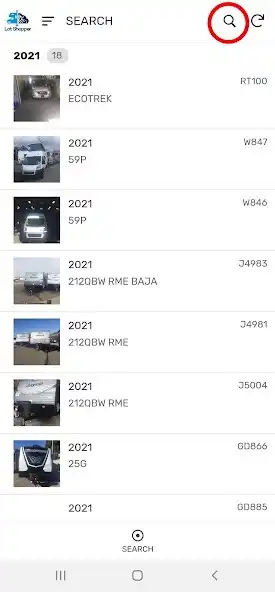
4. Click on the magnifying glass - top right.
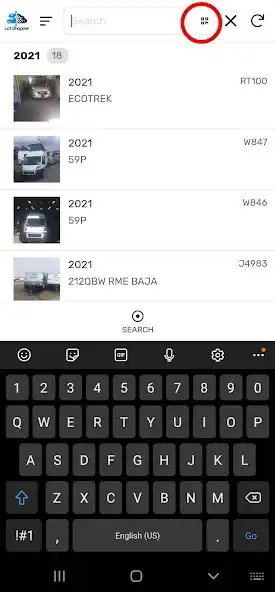
5. Click on the Scan icon (4 squares).
6. Take a photo of the unit label on the RV.
7. Click the found unit for more information.
That's it!
Please call or come in if you have any questions.
1-800-668-1447
Enjoy with UptoPlay the online game Lot Shopper.
ADDITIONAL INFORMATION
Developer: Voyager RV Centre
Recent changes: Lot Shopper 1.0
Please inform us of any bugs or issues so we can address them.
Page navigation: