


GPS Arrow Navigator LITE

GPS Arrow Navigator LITE
The official app & game
Distributed by UptoPlay
SCREENSHOTS
DESCRIPTION
Use UptoPlay to play online the game GPS Arrow Navigator LITE.
GPS Arrow Navigator is a very simple and powerful navigation app for all Android devices.
This is the Lite version of GPS Arrow Navigator, for the best user experience and additional features, please look for GPS Arrow Navigator Pro!
GPS Arrow Navigator shows an arrow to the direction you need to go, you will have to find your own way. No data connection is required making this app ideal for remote locations or to use abroad.
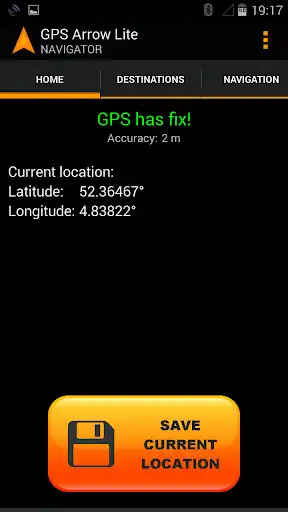
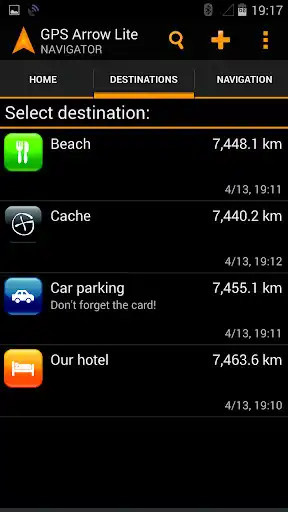
Save your current location and use it as a destination later to find your way back to your car, hotel, friends and so on! It is also possible to enter coordinates manually or pick a location from the build-in map (Map is supported in the Pro version only).
Use the search engine to find any place you want to navigate to, or store it for later use. Search supports cities, addresses, interesting places. You may also import location files like KML, KMZ, LOC, GPX and LOCX (import is supported in Pro version only).
GPS Arrow Navigator shows you the direction you need to go, as well as your current bearing, speed and distance to the selected destination.
GPS Arrow Navigator is also ideal for Geocaching, simply by entering the coordinates.
Features:
-\tNo data connection necessary
- Search engine to find any place or address
- Share locations with your friends
- Import KML, KMZ, LOC, GPX and LOCX files (Pro version only)
-\tMultiple units of measurement supported (Pro version only)
-\tMultiple coordinate systems support (Pro version only)
-\tInteractive Google Map (Pro version only)
-\tMultiple languages supported
-\tStore unlimited destinations
Please dont leave a negative review without contacting us first!
Enjoy with UptoPlay the online game GPS Arrow Navigator LITE.
ADDITIONAL INFORMATION
Developer: Tinus Apps
Genre: Maps & Navigation
App version: 1.36
App size: 5.2M
Recent changes: Update to new Google APIs
Some bug fixes
Comments:
Very
Page navigation: