


Face Screen Lock Prank
Face Screen Lock Prank
The official app & game
Distributed by UptoPlay
SCREENSHOTS
DESCRIPTION
Use UptoPlay to play online the game Face Screen Lock Prank.
Face screen Lock Prank
If you want something different to lock /unlock your phone and tired using old Face locks try our Face Lock Screen App. Face Lock Screen is a cool and secure lock screen app with different beautiful wallpapers and clock. Smart gesture screen lock also provide the feature to change the color of the Face and hide the Face.
Face Lock Screen and clock is an amazing & professional lock screen app with awesome lock. Face Lock Screen allows you to unlock your phone with a variety of Face:. Face Lock screen also has the feature to unlock screen with pin code if you forgot your Face. You can set Face using pin code.
Face Lock Screen Prank Features
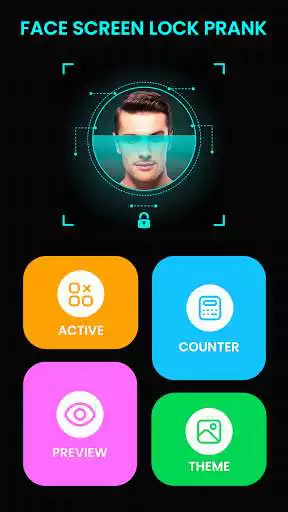
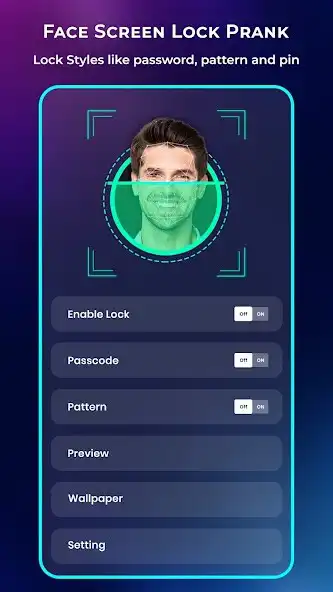
Enable or Disable Face Lock Screen in the Settings.
Face and muck more to Unlock phone.
Change Face using current Face or pincode.
Use pincode to recover your forgotten gesture.
Enable or Disable hide gesture feature from setting.
Hide or show clock on gesture screen.
Hide or show gesture feature when drawing a gesture.
Set beautiful wallpapers as background.
Face Lock Screen application not allow any one to open the app without Face or pincode.
Face Lock Screen allows you to secure your phone and data with Face or pincode.
How to use Face Lock Screen Prank
Install smart Face screen lock.
Make sure that default screen lock is disabled.
Open the application and create your first gesture.
Continue and confirm gesture by drawing it second time.
Create a 4 digit recovey pincode.
Confirm the pincode and your gesture is created.
Smart gesture screen lock is now enable.
Enjoy using modern smart Face screen lock.
1. Train your face. Just push on train face button and it will do automatically in later to recognize your face
2. Set password
3. Check enable screen lock
That is it.
Enjoy with UptoPlay the online game Face Screen Lock Prank.
ADDITIONAL INFORMATION
Developer: Unique Game
Genre: Tools
App version: 1.8
App size: 8.8M
Comments:
Sahil Settings. ✔ Face and muck more to Unlock phone. ✔ Change Face using current Face or pincode. ✔ Use pincode to recover your forgotten gesture. ✔ Enable or Disable hide gesture feature from setting. ✔ Hide or show clock on gesture screen. ✔ Hide or show gesture feature when drawing a gesture. ✔ Set beautiful wallpapers as background. ✔Face Lock Screen application not allow any one to open the app without Face or pincode. ✔Face Lock Screen allows you to secure your phone and data with Face or
It's perfect
I rated one star because I hate this app because it doesn't open with your phone you open when you go to the app
Timely face capture not take... try mutiple times for it
This app very very bad app Iam ravi and to be able too many people who have been in'
Page navigation: