


Custom Skin Editor Minecraft
Custom Skin Editor Minecraft
The official app & game
Distributed by UptoPlay
SCREENSHOTS
DESCRIPTION
Play this online game named Custom Skin Editor Minecraft .
Custom Skin Editor Minecraft is digitalenergy,skincreatorstudio,entertainment,skin,creator,studio, content rating is Everyone (PEGI-3). This app is rated 4.43 by 7 users who are using this app. To know more about the company/developer, visit Jesse Kuronen website who developed it. com.digitalenergy.skincreatorstudio.apk apps can be downloaded and installed on Android 4.1.x and higher Android devices. The Latest Version of 2.2 Available for download. Download the app using your favorite browser and click Install to install the application. Please note that we provide both basic and pure APK files and faster play online speeds than APK Mirror. This app APK has been downloaded 5830+ times on store. You can also play online com.digitalenergy.skincreatorstudio APK and run it with the popular Android Emulators.
Create one of a kind custom skins never seen anywhere before.

Best skin editor/creator for Minecraft.

Brand new "Colorfy" feature that adds another level of creativity to your skins.

Billions of combinations of skins to create. Its NEVERENDING!!!

Features

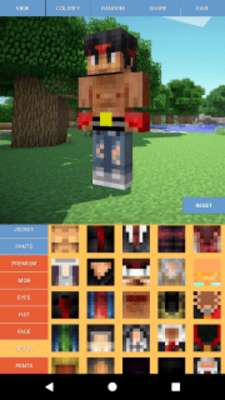
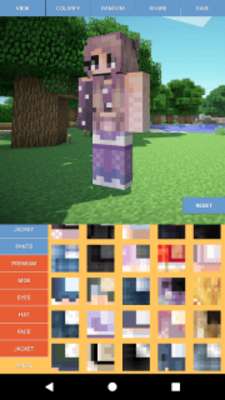
- Skin

- Hair

- Face

- Glasses

- Shirts

- Jackets

- Hats

- Now with mobs

- 3d Model of character so you can see what it will look like in game

- Minecraft 1.8+ Compatible (all skins are 64 + 64)

- Pocket Minecraft Compatible

- Want to show off your creation? Share a 3d model of what you made with all your facebook and instagram friends

- Even easier to use, no art skills required

- Updated Regularly

Have fun and share your creations with everyone.

Skin is saved to Pictures/MineCraft-Skins

For Computer Edition

1) Save skin to phone

2) Upload to Minecraft.net

3) Have Fun!

For PE Edition

1) Save skin to phone

2) Open Minecraft Pocket Edition.

3) Open the skin choosing settings. Choose Custom, and add your skin.

Exclusively for Android!

*** This is not a official Minecraft product, not approved by or associated with Mojang. ***

Minecraft is a trademark of Mojang AB. The Minecraft Name, the Minecraft Brand and the Minecraft Assets are all property of Mojang AB or their respectful owner.
Updates:
- - Minor improvements ! Have fun ! :)
Custom Skin Editor Minecraft from UptoPlay.net
Page navigation: