


CODE: JavaScript Runner, Calculator, IDE

CODE: JavaScript Runner, Calculator, IDE
The official app & game
Distributed by UptoPlay
SCREENSHOTS
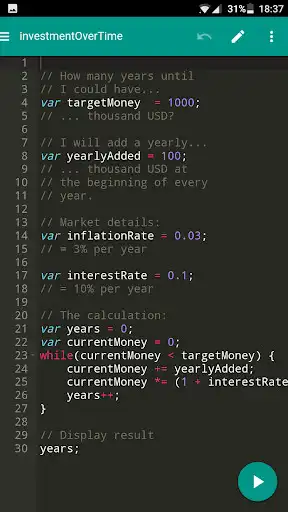
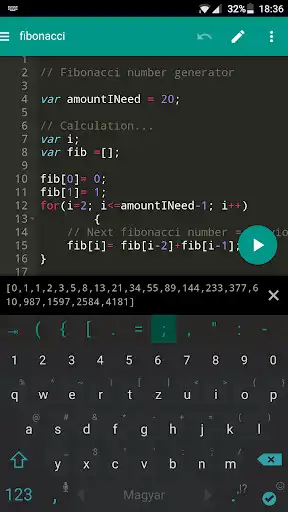
DESCRIPTION
Use UptoPlay to play online the game CODE: JavaScript Runner, Calculator, IDE.
Run JavaScript on your Android!
Embedded JavaScript runner engine
Code editor
Smart Code Completion in the Premium version
Why?
CODE is a really simple, yet powerful code runner for your everyday calculations. You may use it as a calculator for really complex tasks (e.g. calculate the cash flow related to your mortgage, car loan, and student loan combined, or per month in the next 12 years, interest rates included). It will display, save and color the formula for better understanding and future viewings. Given you know JavaScript
JavaScript?
Yes, JavaScript is an industry standard scripting language, which is easy to learn, and one of the most widely used languages on the planet! If you are new to it, you can further your career by learning JavaScript while calculating (maybe to run your company better) or programming anything with textual output. You can practice on the go, without internet connection.
How to Start?
Using this app is a great way to learn the basics of JavaScript, but it is not entirely about teaching, more about using JavaScript to calculate easily. You will find a sample project with a few common calculations at first, and a Help section in the menu. As you learn scripting though, you can use the app more and more to help you with complex questions.
Features
Embedded JavaScript engine - Run your code fast and securely!
Code editor - Streamlines editing with smart indenting, comment/uncomment line, syntax highlighting, brace matching, etc.
Smart Code Completion in the Premium version - Type less with the keyboard by using code completion, snippets and already used variable names.
Symbol Keyboard Extension - Additional symbol buttons to extend your keyboard with frequently used symbols during programming. Number Row also available with easy to access numbers.
Project-based code organization - Simple code organization in a virtual folder tree called a Project. Easy management of scripts.
Edit menu - Undo, Redo, Toggle Line Comment, Find & Replace in file, Minifying code compression
Unsaved file management - Undo, Redo, Restore to last saved
Font Size Setting - Change the font size to your liking.
Console Log - Review all your run results and errors on the Console.
Share Script - Share your script with other apps that support text formats
Script Samples - You won't start with nothing. We would like to help you start with a few sample codes in a sample project for common calculations.
Help - Find links to online help to boost your learning curve
Feedback - Our goal is to listen to you. Your feedback will be appreciated! Please use the smiley in the menu to send us any thoughts about the app!
Offline Use - You can use the app on the go, no need for internet connection.
No Harmful Permissions - The app only needs the basic permissions to serve you a code runner environment. No calls, text messages or any suspicious permissions.
Premium Features
Remove Advertisements - No more annoyances, just flawless coding experience
Code Completion - Type less with the keyboard by using code completion, snippets and already used variable names.
Auto-Save - Save your code as you type to prevent the loss of your work
Improved Run Result Display - Seamless run results in a new way so you never have to click the "Got it" button again! Just continue coding until you get the result you want!
Support The Developers - Help us pay our bills by donating a few dollars if you like our work by buying Premium.
Enjoy with UptoPlay the online game CODE: JavaScript Runner, Calculator, IDE.
ADDITIONAL INFORMATION
Developer: Leanspiration
Genre: Productivity
App version: 1.3.3
App size: 4.3M
Recent changes: Fix issue of losing unsaved code changes when changing device orientation
Comments:
Good work! However, I have experienced a few issues after continued use of this app. It's kind of glitchy. At first the RUN button would stay stuck in the bottom right corner of the screen making me have to close my on-screen keyboard to press it. I eventually changed keyboards and that problem went away, even after returning to the initial keyboard. Secondly, many standard keyboard shortcuts don't work. I tried Ctrl+C,V,X,Z and S, but only Ctrl+V worked.Other keyboard shortcuts such as Shift+Arrow to select character doesn't work. Strange, as I thought these were universal Android keybindings. Lastly, it would probably be much easier for users if the Undo and Save buttons were to the left of the much used RUN button at the bottom, instead of all the way at the top bar since the keybindings that make it easy to execute those actions don't work.
Easiest and most simpile JavaScript code tester ever! I wish I could change the names of folders and files, or even delete them. EDIT: I just noticed I could do that, you just click and hold.
This app is so good only when you go premium and that's it. Nothing productive unless u do so. My coding knowledge wasn't applicable and display of results is the worst not even useful .
one of the rare editor if any that allows execution on the go
If the screen appears only black do this- 1. Go to Settings>Apps>Code>Permissions 2. Provide Storage Permission 3. Restart the app Have fun:)'
Page navigation: