


Cape Editor for Minecraft
Cape Editor for Minecraft
The official app & game
Distributed by UptoPlay
SCREENSHOTS
DESCRIPTION
Use UptoPlay to play online the game Cape Editor for Minecraft.
Capes are not available in the current version of Minecraft PE, but on some servers they can be put to use or mod for capes. We hope that Mojang will add them in the future!
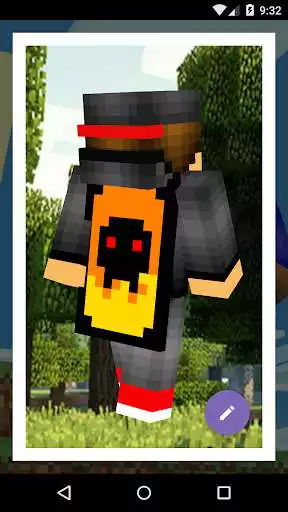
Here you can play online the capes or cloaks for Minecraft and change them!
Play with cloaks becomes much more interesting, and if you can still create any cloak under him, it is more fun, create cool capes according to your taste and show them to your friends.
If you do not want to paint cloaks, you can simply choose a favorite from the collection of capes!
In application you can choose the background on which it is more convenient to you to edit, as well as make the grid, if you prefer to paint. A quick view of the cloak, create ideal conditions for editing, where you will plunge into the world of Minecraft.
This is an unofficial application for Minecraft Pocket Edition. This application is not affiliated in any way with Mojang AB. The Minecraft Name, the Minecraft Brand and the Minecraft Assets are all property of Mojang AB or their respectful owner. All rights reserved. In accordance with http://account.mojang.com/documents/brand_guidelines
Enjoy with UptoPlay the online game Cape Editor for Minecraft.
ADDITIONAL INFORMATION
Developer: Crone
Genre: Tools
App version: 2.1.1
App size: 7.2M
Comments:
It wont let me set the color on the cape editor!!! The keyyboard is in the way and I can't get rid of it unless I exit choose color!!!!
Honestly, other than the many ads on this app, the app itself is great. But some people think that a cape editor can put capes on your back. These people cannot comprehend what the app is really used for. For those people that think this app can put a cape on your back, watch a YouTube tutorial for how to actually get a cape that you created using this app. Then you have the cape.
This app does actually have a purpose. It let's you create your own cape, and you can use the cape on Minecraft by watching a Minecraft PE cape tutorial. This probably only works on Android and PC, I'm not sure about iOS. (Make sure the cape is 128 x 128 to use it)
It's ok, It get the job done but way too much ads. The controls are hard to remember and it makes your cape low quality when you play online it. I wouldn't use it unless if I was desperate.
So I got in went into cape editor then I couldn't get out even if I closed the app and went back in the only way is to use the back button on your phone manually also I couldn't find a way on pocket edition to actually add the cape to my skin in Minecraft, I tried custom character but it said it wasn't a character. overall I wouldnt even bother installing waste of time."
Page navigation: