


Call Recorder

Call Recorder
The official app & game
Distributed by UptoPlay
SCREENSHOTS
DESCRIPTION
Use UptoPlay to play online the game Call Recorder.
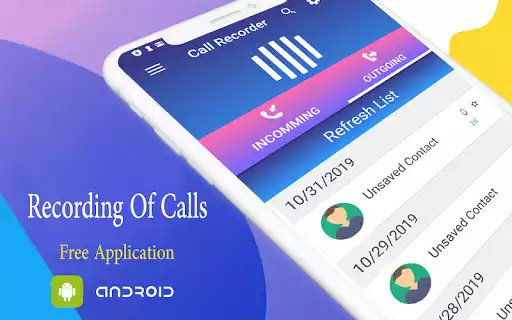
Simple Call Recorder application that has an ability to:
- Records all your phone calls.
- Playback recordings.
- Delete recordings.
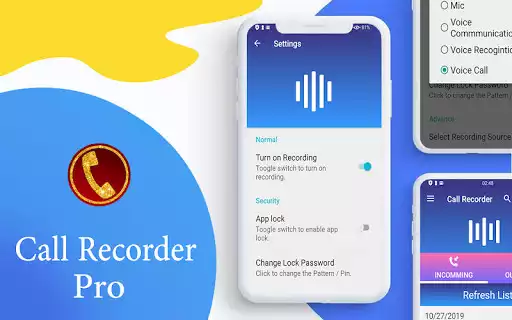
- Lock recordings to prevent from deleting.
- Share recordings (only in Premium version).
- Uploadall recordings to your Dropbox account(only in Premium version).
- Uploadall recordings to your Google Driveaccount(only in Premium version).
- Manage storage for your recordings.
- Protect your recordings by passcode.
IF IT DOES NOT WORK ON YOUR PHONE AT ALL
OR IT DOES NOT RECORD OPPOSITE SIDE VOICE CLEARLY:
1. Try to mix different recording settings as it described here: http://clevermobile.net/products/call-recorder/call-recorder-settings-configuration-instructions/
2. There is a limitation for some phones that don't support recording from phone line or bluetooth. Its audio driver problem made by manufacturer of the phone. List of known supported devices and configurations for them is here: http://clevermobile.net/products/call-recorder/call-recorder-supported-phones-and-configurations-for-them/
Please, not give bad marks for that. Thank you!
If you have some suggestions or comments, please visit our site http://clevermobile.net and feel free to contact us.
Enjoy with UptoPlay the online game Call Recorder.
ADDITIONAL INFORMATION
Developer: C Mobile
Genre: Communication
App version: 16.4
App size: 7.1M
Recent changes: ver 16.4
1. Bug fixing for Google Drive.
2. Improved performance.
3. Updated translations.
ver 16.0
Regarding new Google Play Privacy Policy all Call Recorder app have to remove permissions for read phone numbers: PROCESS_OUTGOING_CALLS and READ_CALL_LOG.
Starting from this version Call Recorder app will not be able to read phone number during the call. More info in FAQ: http://clevermobile.net/products/call-recorder/faq/
Comments:
Used to work great, but now just recording empty files. Tried reinstall but nothing works. Bummer as it was a great app
It doesn't work on my Samsung galaxy s20 ultra. It's not intuitive, I purchased the paid version. I don't suggest buying this app because there is no support.
Works great most of the time. But once in a while the recording sticks, and does not stop at the end of the call. Many times, in that case, the recording is lost, at least in my experience. *EDIT* - (I have found that if the recording sticks, all you need to do is make another phone call, and the stuck recording will finish up and be saved). Aside from that, it works great, and is very unobtrusive
`when I first use this app years ago it worked perfect.. couldn't ask for a better recording device. Now with this "latest version"... I guess that's the problem, it only records my voice. Very disappointed.. I wish I could fix it... uninstalling and reinstalling does not work. "after reading other people's comments there are also experiencing the same problem"`,App starts recording but won't stop when the call is finished. It does not stop recording when the call is finished and you hang up, it keeps going. It will keep recording 'nothing' and won't turn off. Now there are a lot of files that are huge and this eats up all my empty space on my memory and it drains my battery because it just keeps running and running for no reason. The recorded files have 5 minutes of phone conversation, and then hours of empty silence. The empty files take up Gigs and Gigs of space, I am now constantly getting out of space errors and warnings on my phone because of this app. Have tried deleting and reinstalling, same thing."
Page navigation: