


ALLPlayer (Netflix) Remote Control Free
ALLPlayer (Netflix) Remote Control Free
The official app & game
Distributed by UptoPlay
SCREENSHOTS
DESCRIPTION
Play this online game named ALLPlayer (Netflix) Remote Control Free .
ALLPlayer (Netflix) Remote Control Free is allplayer,remote,video,players,editors, content rating is Everyone (PEGI-3). This app is rated 4 by 1 users who are using this app. To know more about the company/developer, visit ALLPlayer Group website who developed it. com.allplayer.remote.apk apps can be downloaded and installed on Android 4.4.x and higher Android devices. The Latest Version of 2.3 Available for download. Download the app using your favorite browser and click Install to install the application. Please note that we provide both basic and pure APK files and faster play online speeds than APK Mirror. This app APK has been downloaded 691+ times on store. You can also play online com.allplayer.remote APK and run it with the popular Android Emulators.
Remote control for Netflix, YouTube, ALLPlayer, VLC, WMP, KM Player, Power Point and other by your Android phone.
Sit back in your armchair with a remote control (smartphone) in your hand and watch without constantly approaching your computer.

NOTE: Android Remote works with PC players after installation aditional program on PC. Link to play online is below in description.

Remote control can be used with mini-application installed on your computer, and without it.

1. Once mini application is installed on your PC, you have got ALLPlayer Remote Control and:
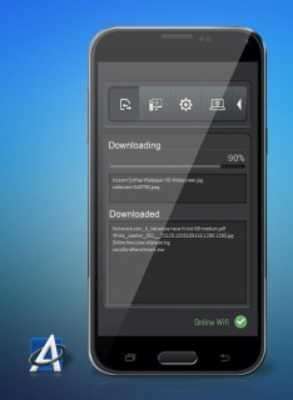
- ability to send to your smartphone and tablet any files (such as images, audio, video) without connecting each time a cable to the phone
- ability to control player via the Internet - Wi-Fi is not necessary
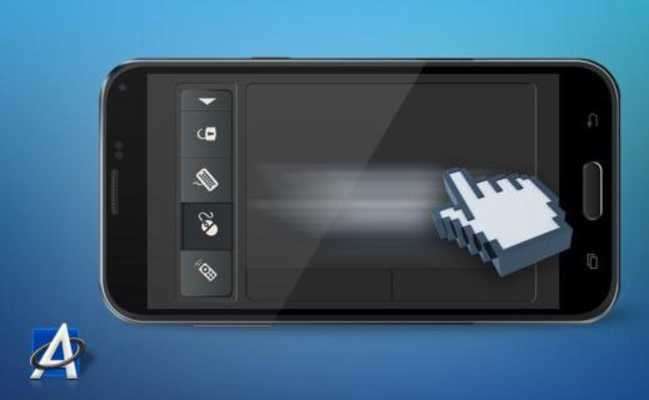
- smartphone as a touchpad
- ability to use your smartphone as a remote keyboard
- available information about Internet connection performance in the form of a graph or values
- ability to disable PC at a specific time

NOTE: Mini-application below HAS TO be installed on your computer, to make it all work properly.
PLEASE ALLOW IN FIREWALL SETTINGS ON YOUR PC FOR INTERNET CONNECTION!

If you want to use a connection via Wi-Fi, computer and smartphone must be on the same Wi-Fi network (when no Wi-Fi, you can connect your smartphone to your computer via the Internet)

2. Without additional application on your PC, ALLPlayer Remote connects to ALLPlayer 5.8 or above via Wi-Fi.

Link to additional mini application on your PC: http://www.allplayer.org/ALLRemote/ALLRemote.exe
More details: http://www.allplayer.org/ALLRemote/android-remote.html

Remote control for Netflix, YouTube, ALLPlayer, VLC, WMP, KM Player, Power Point and other by your Android phone.
Sit back in your armchair with a remote control (smartphone) in your hand and watch without constantly approaching your computer.

NOTE: Android Remote works with PC players after installation aditional program on PC. Link to play online is below in description.

Remote control can be used with mini-application installed on your computer, and without it.

1. Once mini application is installed on your PC, you have got ALLPlayer Remote Control and:
- ability to send to your smartphone and tablet any files (such as images, audio, video) without connecting each time a cable to the phone
- ability to control player via the Internet - Wi-Fi is not necessary
- smartphone as a touchpad
- ability to use your smartphone as a remote keyboard
- available information about Internet connection performance in the form of a graph or values
- ability to disable PC at a specific time

NOTE: Mini-application below HAS TO be installed on your computer, to make it all work properly.
PLEASE ALLOW IN FIREWALL SETTINGS ON YOUR PC FOR INTERNET CONNECTION!

If you want to use a connection via Wi-Fi, computer and smartphone must be on the same Wi-Fi network (when no Wi-Fi, you can connect your smartphone to your computer via the Internet)

2. Without additional application on your PC, ALLPlayer Remote connects to ALLPlayer 5.8 or above via Wi-Fi.

Link to additional mini application on your PC: http://www.allplayer.org/ALLRemote/ALLRemote.exe
More details: http://www.allplayer.org/ALLRemote/android-remote.html
Updates:
- Poprawki w wersji 1.3 na Androida:
- możliwość sterowania nie tylko ALLPlayerem, ale także VLC, Windows Media Player, YouTube i wiele innych...
- poprawiony problem zawieszania się ALLPlayer i Pilota na niektórych konfiguracjach
- poprawiony click myszą
- poprawione działanie klawiatury
- poprawione automatyczne łączenie się programu na Androidzie z programem na komputerze
- poprawione sterowanie przez internet (w przypadku braku sieci wifi)
ALLPlayer (Netflix) Remote Control Free from UptoPlay.net
Page navigation: