


ACDSee Mobile Sync

ACDSee Mobile Sync
The official app & game
Distributed by UptoPlay
SCREENSHOTS
DESCRIPTION
Use UptoPlay to play online the game ACDSee Mobile Sync.
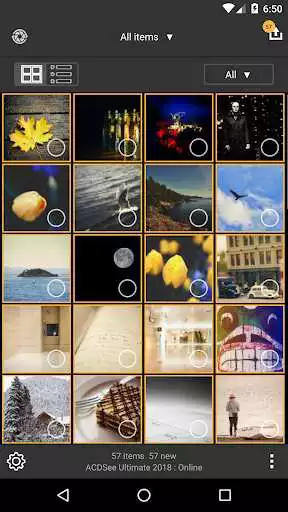
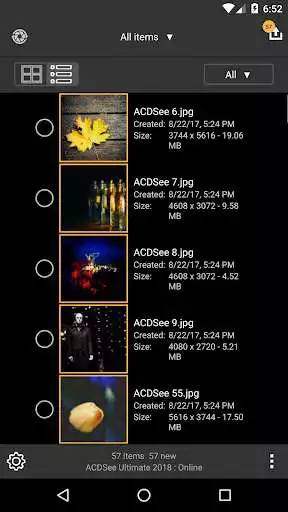
Wirelessly transfer photos and videos directly to ACDSee Photo Studio with the ACDSee Sync Assistant, just select and send. The ACDSee Sync Assistant app remembers sent photos, keeping you up to date. With flexible selection options and configurable file names and subfolders, you can quickly complete your workflow. ACDSee Sync Assistant is the perfect tool to start your photography workflow. Once images have been sent to ACDSee Photo Studio, you are free to organize them using efficiency-enhancing digital asset management tools such as ratings, hierarchical keywords, categories, color tags, and more. Enjoy extensive editing adjustments to perfect them, including correcting exposure, white balance, color, sharpness, reducing noise, adding text, watermarks and objects, and more. With the layered editor and dedicated adjustment layers in ACDSee Ultimate, your creative capabilities are limitless. Design the image portfolio you've always dreamed of, original ads, innovative graphics, and powerful artistic imagesall captured on your device. To view product information, please visit www.acdsee.cn
Function:
Quick and easy setup.
Access images received from your device in ACDSee Photo Studio, stored in a clear dedicated folder.
Review, develop and refine incoming mobile images in ACDSee Photo Studio.
Configure file names and subfolders according to predefined templates.
Easy-to-use, intuitive interface.
Send images only, video only, or new content only.
Convenient file handling and file naming options.
Fast performance.
Customizable targets, target names and target folders. System Requirements:
ACDSee synchronization assistant for Android system requires 7.0 and above.
Enjoy with UptoPlay the online game ACDSee Mobile Sync.
ADDITIONAL INFORMATION
Developer: ACD Systems International Inc.
Recent changes: Added Simplified and Traditional Chinese language support.
Minor bug fixes and improvements.
Page navigation: