


DigiHUD Speedometer
DigiHUD Speedometer
The official app & game
Distributed by UptoPlay
SCREENSHOTS
DESCRIPTION
Use UptoPlay to play online the game DigiHUD Speedometer.
100% ad-free, doesn't require data/cell connection to work.
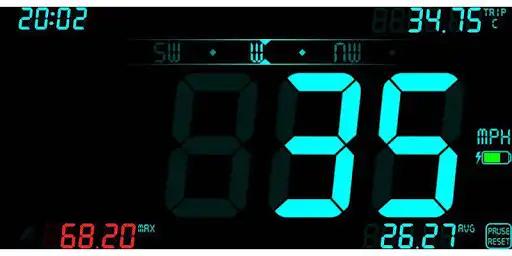
DigiHUD Speedometer is a free GPS based digital head up display (HUD) that shows useful speed and distance information for your journey. Ideal if your vehicle speedo has died, you want to verify your vehicle speed or you just want to know your speed when cycling, running, flying, sailing etc.!
The display can be switched between normal viewing and HUD mode which mirrors the display for viewing as a reflection in a vehicle windshield (most useful at night, depending on the device's brightness).
DigiHUD can open as a floating window on top of other apps or your homescreens. Works with external GPS receivers (tested at 10Hz).
Although we strive to make all readings as accurate as possible they are only as accurate as your device's GPS sensor and should only be regarded as approximations.
For more than a dozen extra features, with many more planned, try DigiHUD Pro (link at the bottom of this description).
Information displayed
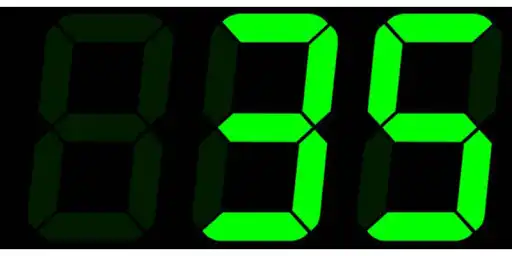
Current speed (choose MPH, KMH or KTS)
Average speed, since reset
Maximum speed, since reset
Three Trip distance counters
Compass
Odometer (found under Statistics)
Current time
Digit color changes to red when above your set warning speed
Battery level indicator
Satellite lock status icon
Using DigiHUD
Lite Mode (speed only) - swipe the speed left or right. Swipe again to return
HUD Mode (mirrored) - swipe the speed up or down. Swipe again to return
Touch the trip counter to cycle through the three counters
Long-pressing on a speed or trip value will reset it
Long-press the speed unit to choose between MPH, KMH and KTS from the popup menu (also in the Main Menu)
When in window mode touch the DigiHUD icon for a menu to switch to the fullscreen app or exit. The window can be re-sized using the corner drag handle.
All values can be reset by long-pressing "PAUSE RESET" (the Odometer reading in the Statistics popup won't reset and counts the total distance since the application was installed or it's data was cleared).
Main Menu
Opened by touching the speed displayed in the center of the screen, the menu allows you to:
Exit DigiHUD
Window/Background Mode: Close and open as a re-sizable floating window
HUD view / Normal view: Switch between HUD (mirrored) and normal displays
Speed Unit: Change between MPH, KMH or KTS
Set Warning Speed/Sound: The speed at which the digit color will change to red. An audible alert can also be enabled here
Brightness: Adjust the screen brightness
Display Color: Choose from 10 customizable colors. Almost every color is available except black
Lock screen rotation: keep the screen in its current rotation even if the device is rotated
Display Preferences: enable/disable screen elements
Statistics: odometer, trip distance, top speed and average speed and version number
Help: show help and other information
*This application requires the use of the GPS receiver, which may increase battery usage.*
The screen will not turn off during long journeys and works in landscape or portrait mode.
Privacy policy.
Please review the Privacy Policy within the app or at http://digihud.co.uk/blog/2018/12/privacy/.
If you have any problems using DigiHUD please check the troubleshooting FAQs, or Contact Us.
Enjoy with UptoPlay the online game DigiHUD Speedometer.
ADDITIONAL INFORMATION
Developer: James Moss
Genre: Maps & Navigation
App version: 1.5.7
App size: 1.8M
Recent changes: Update Google libraries
Remove current version of SourceKit SDK
Comments:
It is great, no ads, tells direction (NESW), I prefer digital over analog. Plus my analog dash speedometer even at full brightness is hard to see in sunny weather, but this at full brightness is clear as day to see whereas my dash one was a squint to see. Now so used to it that I do not even notice my phone there just the speed and heading (NESW).
Been really enjoying this useful app (primarily on my motorcycle) for about 8 months now. Went to use it today and ALL the extra data was gone... speed ONLY showing now. Checked settings and everything is still there, checked, etc. Hopefully just a glitch.
Page navigation: