


A Wrist Pomodoro
A Wrist Pomodoro
The official app & game
Distributed by UptoPlay
SCREENSHOTS
DESCRIPTION
Use UptoPlay to play online the game A Wrist Pomodoro.
Enhance your productivity by using the pomodoro technique. Made easier by A Wrist Pomodoro.
Why use A Wrist Pomodoro?
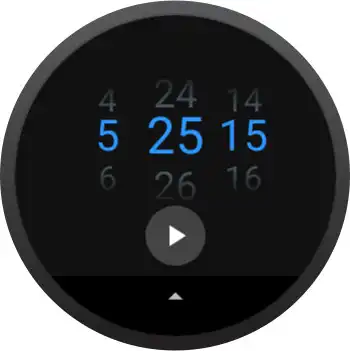
Standard - It uses the standard pomodoro technique of 3 short breaks and 1 long break between deep work. If you don't like long breaks, that's okay, you can customize it to be a fourth short break.
Quiet - The app will vibrate to let you know when your work or break timer is over, and won't start the next timer until you decide to
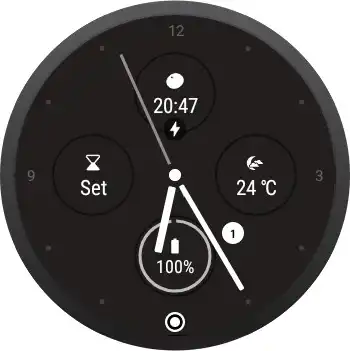
Optimized - It's designed to be dismissed until it is needed. You can check the time remaining on the watch face widget. The app hands the update job over to the system, so it actually doesn't run anything on the background, saving your watch's battery life
---- THE POMODORO TECHNIQUE ---
The pomodoro technique works by doing work in blocks. You set a timer for a focused deep work block, another one for a short break, and lastly one for a long break.
After one focused block, you can take one short break. After four focused blocks, you can take a long break.
Try the pomodoro technique and watch your productivity increase.
Enjoy with UptoPlay the online game A Wrist Pomodoro.
ADDITIONAL INFORMATION
Developer: Bytehala Inc
Genre: Productivity
App version: 1.0.00075
App size: 2.0M
Recent changes: Circular button, darker theme, in-app instructions.
Comments:
Nice simple pomodoro app. Doesn't give a notification vibration if it's running in the background/using the watchface complication though. Just vibrates once the app is directly opened & is on 0, which negates the whole point. Would be nice to have this added so I don't need to check my watch to see if it's counted down to 00.00
Unfortunately does not give notification if running in the background, defeating the purpose of the app
great app it does what it says and it helps me be more productive
the only wear os pomodoro timer that has what I want
Screen flickering'
Page navigation: