


Miaodi

Miaodi
The official app & game
Distributed by UptoPlay
SCREENSHOTS
DESCRIPTION
Use UptoPlay to play online the game Miaodi.
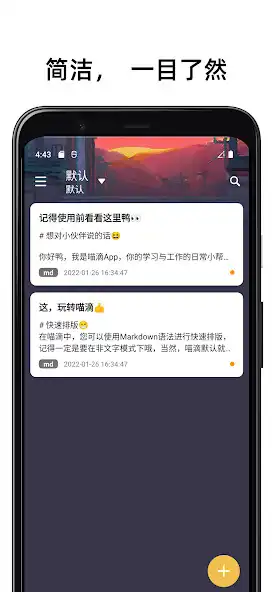
Miaodi, this is a cross-platform Markdown editor with excellent experience.
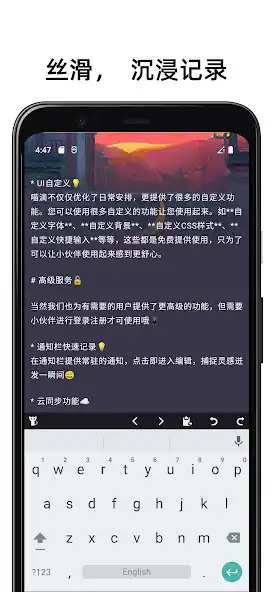
And Miaodi, on the Android platform, has also made special optimizations. Such as unique multi-editing modes: writing mode, focus mode, and Markdown's just-in-time rendering mode (also known as WYSIWYG mode). In view of the inconvenience of mobile operation, Meowdi also provides you with a customizable Markdown shortcut bar and text formatting, which greatly improves the convenience of operation. We do these, just to make your experience more comfortable.
Miaodi attaches great importance to your data from beginning to end, and is equipped with a variety of storage methods. Your data will not only be saved locally, but will also be backed up to a system folder. In addition, if you use advanced functions, you can also Enables cross-platform editing. Your data resides on whatever device you are using. Your data can be exported to the system's folder anytime, anywhere, without any limitation, and with extremely fast speed.
In addition, Miaodi also provides system-level Todo reminders and task list notes, so that you can better arrange your life and time, be orderly, and everything is in Miaodi.
Although Miaodi is just a cross-platform editor for Markdown, it also pays special attention to the record of user inspiration. Therefore, Miaodi has always attached great importance to convenience, and does not want the loss of user inspiration due to the delay of time. Therefore, the startup speed of Miaodi is also sufficient, and within 1s, you can open Miaodi and start recording.
Break the system boundary and record anytime, anywhere, here is Miaodi.
Enjoy with UptoPlay the online game Miaodi.
ADDITIONAL INFORMATION
Developer: Jalor
Recent changes: Added: Local shareable web link(952, 05-17)
Added: Device online status display(950, 05-16)
Added: Word count synchronization(935, 05-10)
New: View the creation time of the article, click on the upper right corner of the editing interface to view(932, 04-21)
Fix: Sometimes after editing, the return cannot be synchronized or the local update is not notified after synchronization (930, 04-19)
Opt: Default theme (938, 05-11)
Page navigation: