


Giganticon - Big Icons
Giganticon
The official app & game
Distributed by UptoPlay
SCREENSHOTS
DESCRIPTION
Use UptoPlay to play online the game Giganticon - Big Icons.
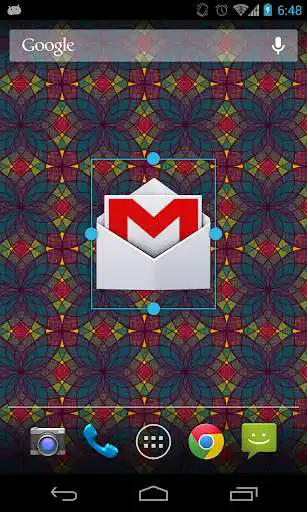
Do you crave bigger icons on your home screen? Are your icons too small to see or touch? Giganticon allows you to personalize your home screen with big huge gigantic giant icons for any app you like.
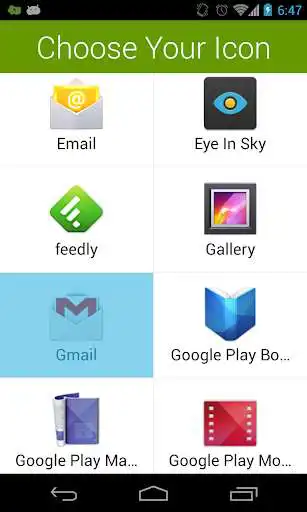
Just add the Giganticon widget to your home screen and choose your app. You can resize the icon to be tiny, gigantic, or anything in between. Icons for apps available on Google Play will even be in HD!
Giganticon is optimized for phones and tablets running any version of Android.
You can have up to two icons totally free, and then the app will ask you to upgrade. However, there is a secret way to unlock a third free icon. See if you can find it!
For apps that aren't on the play store, Giganticon allows you to substitute any image from your device.
Giganticon is great for kids to make the homescreen simpler, and great at increasing accessibility for people who have poor vision or trouble touching small icons. Kids and grand parents will rejoice! Giganticon supports TalkBack for those who have it enabled.
If you enjoy Giganticon, or want to be a part of the Beta release program, join the Giganticon G+ community here:
https://plus.google.com/communities/116280044610527086296
Special Features for New Versions of Android!
- Giganticon also supports Android 4.2's Lock Screen widget functionality. Access your favorite app straight from your lock screen! (See screenshot)
- A special Giganticon Daydream which allows bouncing icons around your screen while your tablet is idle.
Enjoy with UptoPlay the online game Giganticon - Big Icons.
ADDITIONAL INFORMATION
Developer: Gabriel Taubman
Genre: Personalization
App version: 1.1.9
App size: 1.1M
Recent changes: This Release:
1. Fix a bug where Giganticon wouldn't recognize when users had already purchased it.
Previous Release:
1. Add support for pulling the local icon from apps that use Adaptive Icons. This was preventing Giganticon from falling back to local icons.
2. Fix parsing of the Play Store HTML. This was preventing Giganticon from acquiring high res icons.
3. Switch to new in-app billing library.
4. Set target SDK appropriately.
5. Properly request storage permission to store large icons.
Comments:
Doesn't work anymore. Developer is inactive and doesn't answer messages requesting help. I'm sad because it was a great app and there's nothing else like it
I paid for this app, and it worked fine for awhile. Now it is telling me I need to upgrade, and it tries to get me to purchase it a second time. No thanks.
THERE IS NOTHING ELSE LIKE THIS, which is shocking. It does one thing and it does it beautifully — lets you have medium, big and (obviously) gigantic icons on your home screen, so it doesn't look like a boring wall of pics like some low-down iPhone user. I have Android 10, Samsung XCover Pro, and I use Nova Launcher (if that helps anyone) — and this works a treat. Developer is friendly and responsive, too. It's not obvious (to dunderheads like me) how to choose an different icon if you don't like the default for an app, and he kindly showed me how. And now I've written more than 100 words, which Google tells me makes this review more helpful. You're welcome.
I would give this app 5 stars... however, some apps get applied with a square white background (chrome, play music, gmail, etc.) instead of the icons themselves with transparent backgrounds like pictured. I was able to get around this by installing icon packs, but still more effort than I would have liked.
Worked great first try. Suggestion: It would be nice if there were a way to enlarge a direct dial widget for contacts. It would be great for the seniors who need to access their favorite contacts without their glasses.'
Page navigation: