


TruVnc Secured Vnc Client

TruVnc Secured Vnc Client
The official app & game
Distributed by UptoPlay
SCREENSHOTS

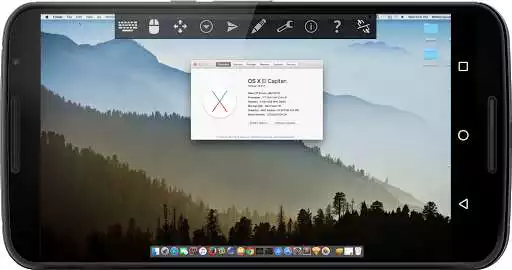
DESCRIPTION
Use UptoPlay to play online the game TruVnc Secured Vnc Client.
TruVnc is a secure easy to use fully loaded Vnc viewer.
This is a trial version. Need to purchase full version once trial is expired.
Connect to Windows, Mac (OS X), Linux, BSD, or any other OS with a VNC server installed.
Supports Mac OS X built-in remote desktop server (ARD) and Mac OS X authentication with user name.
Supports most VNC servers including TightVNC, UltraVNC, TigerVNC, and RealVNC.
It works on Android TV also.
It supports remote controlling from TruVnc application installed on other Android devices on same WiFi network.
TruVnc is a secure easy to use fully loaded Vnc viewer.
TruVnc features
- Works on Android Tv
- Can be remote controled from TruVnc on another device
- View-only mode
- Connect to Windows, Mac (OS X), Linux, BSD, or any other OS with a VNC server installed
- Supports Mac OS X built-in remote desktop server (ARD) and Mac OS X authentication with user name
- Supports OS X El Capitan
- Supports Windows 10
- Supports most VNC servers including TightVNC, UltraVNC, TigerVNC, and RealVNC
- Pinch-zooming
- Three finger keyboard Toggle
- Swipe to get Toolbar
- UI Optimized for for tablets and smart phones
- Dynamic resolution changes, allowing you to reconfigure your desktop while connected, and control over virtual machines from BIOS to OS
- SSH tunneling, AnonTLS and VeNCrypt for secure connections (does not support RealVNC encryption).
- High-grade encryption superior to RDP using SSH and VeNCrypt (x509 certificates and SSL), preventing man-in-the-middle attacks
- AutoX session discovery/creation similar to NX client
- Tight and CopyRect encodings for quick updates
- SSH public/private (pubkey) support
- Multi-language support
- Full mouse support on Android 4.0+
- Full desktop visibility
- Multi-touch control over the remote mouse. One finger tap left-clicks, two-finger tap right-clicks, and three-finger tap middle-clicks
- Right and middle-dragging if you don't lift the first finger that tapped
- Scrolling with a two-finger drag
- Ability to reduce the color depth over slow links
- Copy / paste (clipboard) integration
- Samsung multi-window support
- Importing encrypted/unencrypted RSA keys in PEM format
- Automatic connection session saving
- Right-click with Back button
- Use D-pad for arrows, rotate D-pad
- Minimum zoom fits screen, and snaps to 1:1 while zooming
- FlexT9 and hardware keyboard support
Limitations
- Does NOT support RealVNC encryption (use VNC over SSH or VeNCrypt instead)
Upcoming Features
- Zoomable, Fit to Screen, and One to One scaling modes
- Two Direct, one Simulated Touchpad, and one Single-handed input modes
- Long-tap to get a choice of clicks, drag modes, scroll, and zoom in single-handed input mode
Enjoy with UptoPlay the online game TruVnc Secured Vnc Client.
ADDITIONAL INFORMATION
Developer: Tru App
Genre: Productivity
App version: 2.1.12
App size: Varies with device
Recent changes: * TV support added
* RemoteControl added
* Crash Fix
* Stability Increase
Comments:
Barely Usable --- The screen doesn't redraw, leaving black blocks all over the place, obscuring the desktop. Also, it looks, to me, like a bad copy of the VNC app that I'm already using.
I don't mind paying for the full version, but it didn't work with my UltraVNC repeater and would not connect :/
Doesn't work at all. Screen is a complete mess of missing and incorrect chunks of data
Mouse is bad hard to move mouse
Can't connect: says something about DH negotiation unsupported."
Page navigation: