


Sunriser

Sunriser
The official app & game
Distributed by UptoPlay
SCREENSHOTS
DESCRIPTION
Use UptoPlay to play online the game Sunriser.
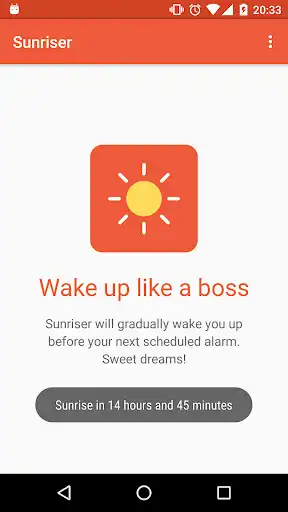
Sunriser integrates with Milight RGBW connected light bulbs to gradually wake you up in the morning. It starts emitting an artificial sunrise 30 minutes before your scheduled alarm, causing your body to release hormones that will help you wake up easily, feeling refreshed and ready to start your day.
Buy a Milight RGBW bulb here:
http://www.milight.com/milight-rgbw/
Research shows that the healthiest way to wake up is along with the sun rising and the world gradually becoming lighter:
The gradual increase in light intensity tells your body the sun is coming up. As a result the pineal gland reduces the hormone melatonin that makes you sleepy and secretes the hormones cortisol and serotonin into your bloodstream. These play an essential role in waking you up.
Read more:
http://www.hobbr.com/wake-up-light-alarm-clocks/
We're open-source and hosted with love on GitHub!
https://github.com/eladnava/sunriser-android
Enjoy with UptoPlay the online game Sunriser.
ADDITIONAL INFORMATION
Developer: Elad Nava
Genre: Lifestyle
App version: 1.0.2
App size: 1.4M
Recent changes: Added a "Moonlight Reminder" to remind you it's time to go to bed and make it easy to turn on moonlight mode
Fixed high CPU usage during sunrise
Fixed incomplete sunrise (80% brightness) when alarm fires
Added support for custom sunrise/moonlight bulb colors
Added support for RGB bulbs without a white mode
Fixed stubborn bulb color defaulting to last saved bulb color if different than selected color
Fixed never-ending moonlight mode if app is exited via back button after enabling it
Comments:
The sunrise simulation is spot on! I like the way you're able to set the duration of the sunrise and set the color. However, it would probably be better if you can set the alarms from within the app instead of depending on the phone's alarm. I tend to set several alarms on my phone and i don't really want all of them to simulate a sunrise each time. :) Also, support for white only bulbs would be great. The app seems to only work with RGBW bulbs. Where can I send feature suggestions?
It works, that's good. But: White home screen of the app really hurts! The app is about night-related things, isn't it? And expected to be opened in the evening. Just paint home screen in dark colors or add dark theme. Another needed easy-feature - auto-enabling wifi a couple of minutes before querying bulbs. I'd like to keep it off at night - for power saving and instead of muting all notifications. It deserves 5 stars after fixing these things.
`So I installed it, and when I use the menu and touch "test" nothing happens. I touch "moonlight" and nothing happens. I fiddle with preferences... ? I guess I just don't get it. We'll see if the alarm works tomorrow morning, but I have no idea what test and moonlight do.`,Awesome app, thank you so much for making it :) Just what i was looking for, and works great!
Does what I want, almost. Needs to be smart enough to automatically be white for sunrise (or allow colour choice) as it seems to just continue from whatever color the lights were on when last used.'
Page navigation: