


Quick Screenshot

Quick Screenshot
The official app & game
Distributed by UptoPlay
SCREENSHOTS
DESCRIPTION
Use UptoPlay to play online the game Quick Screenshot.
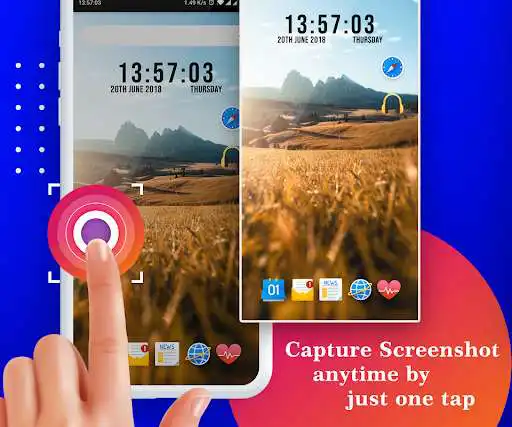
Quick Screenshot app is easy and simple way to capture your phone screenshot.
You can edit screenshot and save / share with your friends.
Drag the Screenshot icon anywhere on the screen.(floating icon)
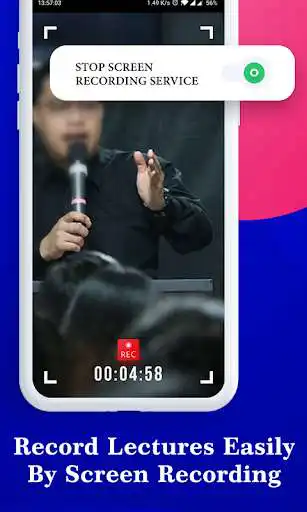
Screen Recorder allows you to capture a video that you can easily save and share with your friends.
Enable capture service(on/off)
App Features :
-> Screenshot Setting
-> Screen Recording
-> Capture History
- Screenshot Setting :
- Notification icon
- Shake
- The phone is shaking that time screenshot captured.
- Overlay Icon
- Show Overlay Icon
- Overlay Icon Size
- Overlay Icon Alpha
- Show folder name on Overlay Icon(On/Off)
- Action after screenshot
- Vibrate
- Action after capture toast
- Show toast preview
- No Action
- Open Screenshot Gallery
- Save Image format(PNG and JPEG)
- Directory and Filename
- Save Directory
- Filename
- Sub Floders
- Show folder name with folder icon
- show only folder name
- you can create Multiple folder and save your screenshot images.
- Screen Recording
- Screen Recording Service
- Record Audio
- Record Audio Resolution
- Frame Rate
- Capture History
- Screenshot Images
- Screen Recording Videos.
Required Permission :
READ_EXTERNAL_STORAGE : get capture screenshot from storage and display in app
SYSTEM_ALERT_WINDOW : for display overlay icon anywhere on phone screen
RECORD_AUDIO : record sound when screen recording
Enjoy with UptoPlay the online game Quick Screenshot.
ADDITIONAL INFORMATION
Developer: Expressway Apps
Page navigation: